See Your Whole Outlook Inbox on a Calendar.
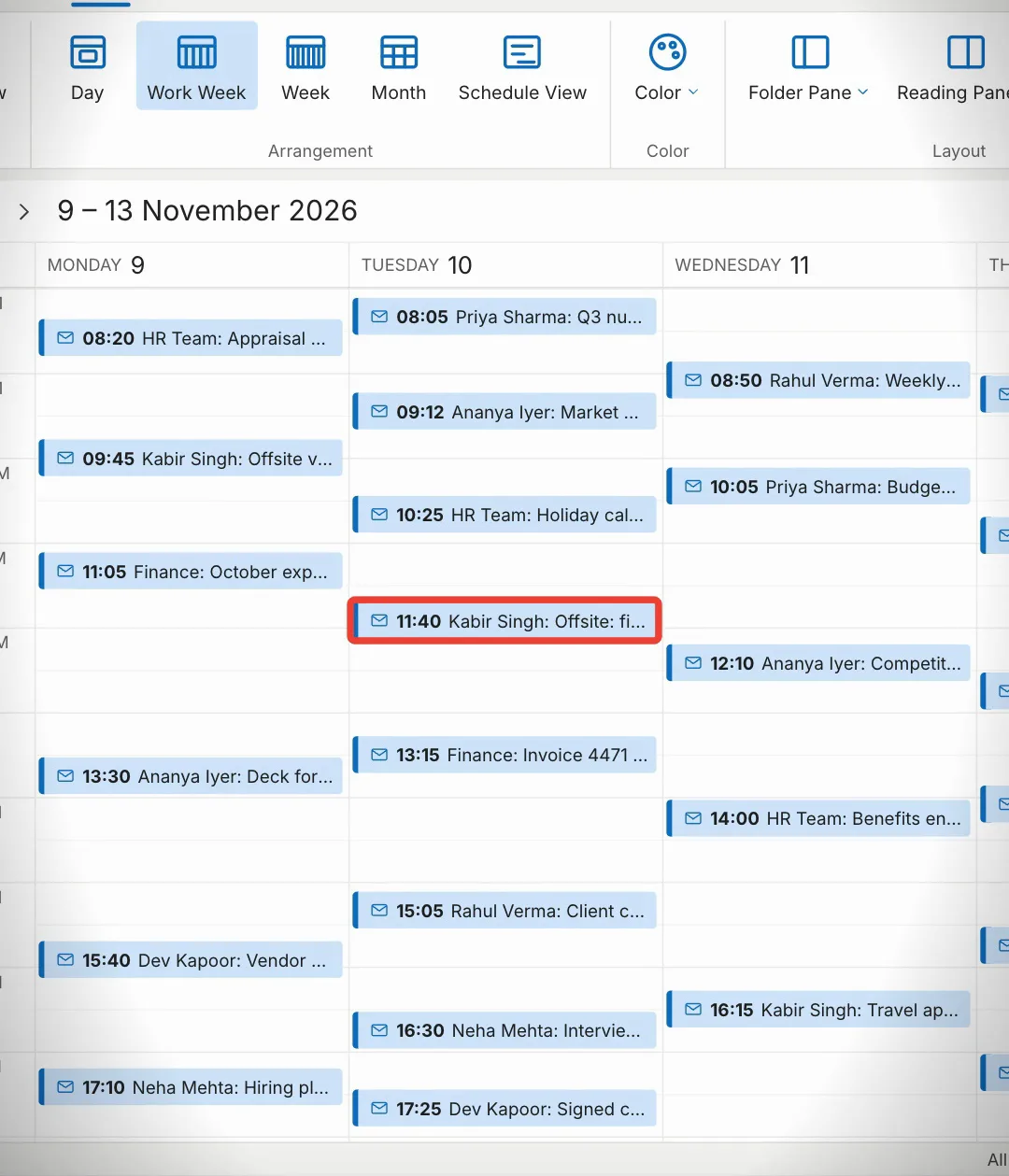
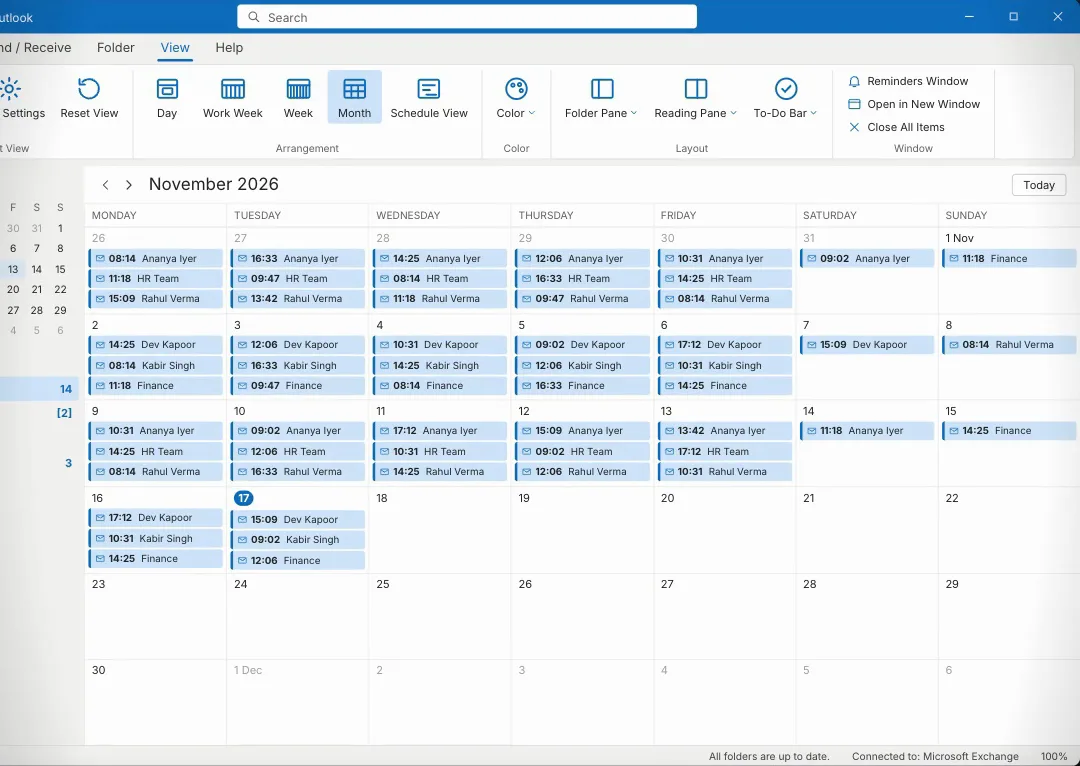
Outlook has a view almost nobody uses. With one custom view, every email in your inbox sits on a calendar at the day and time it came in. Switch to month and you see everything you got that month on one screen. You can still open and reply to any email from there.
What you need: Classic Outlook for Windows (the version with the View tab and Change View). Takes about a minute.
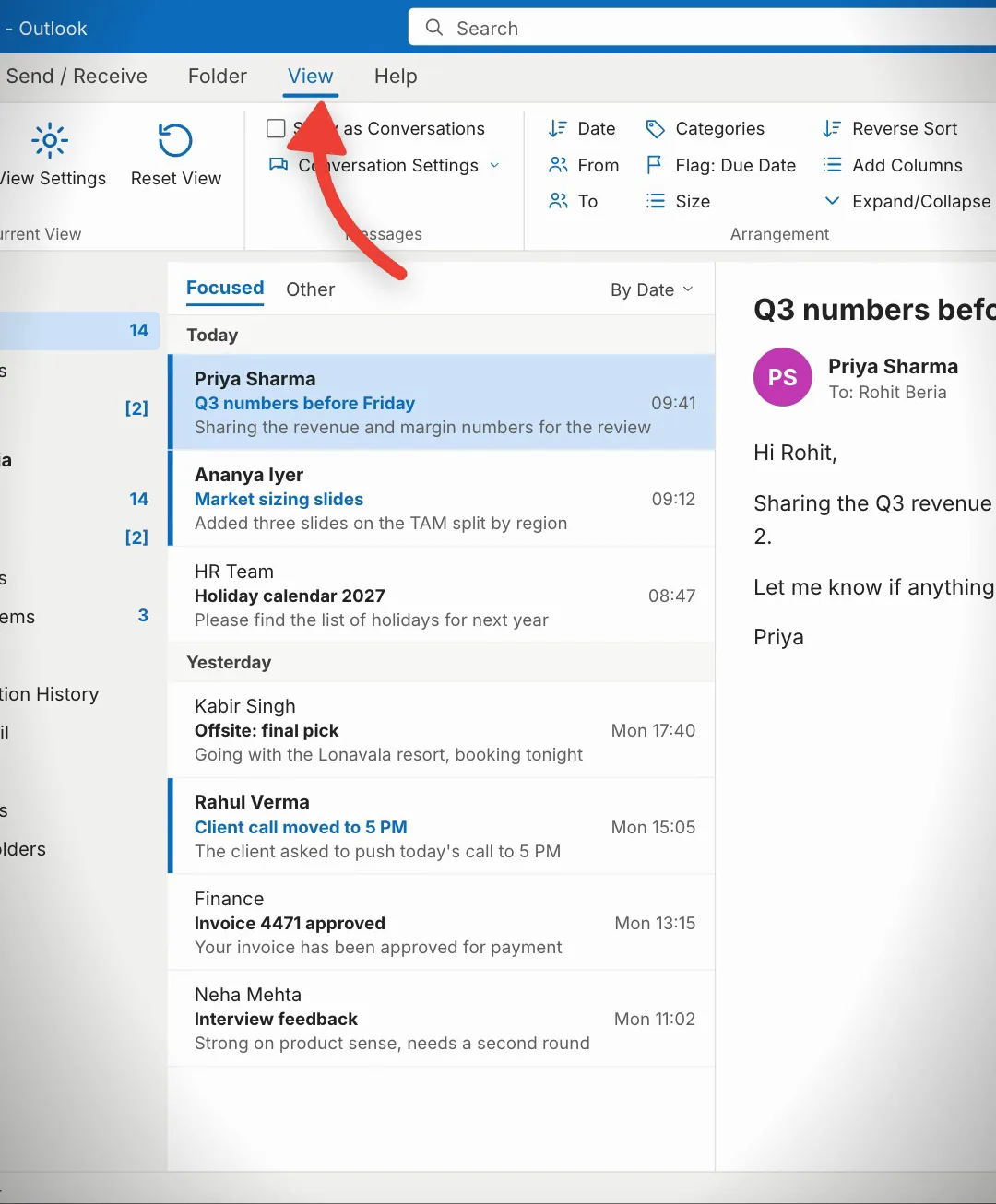
Open Change View
In Outlook, go to the View tab and click Change View.
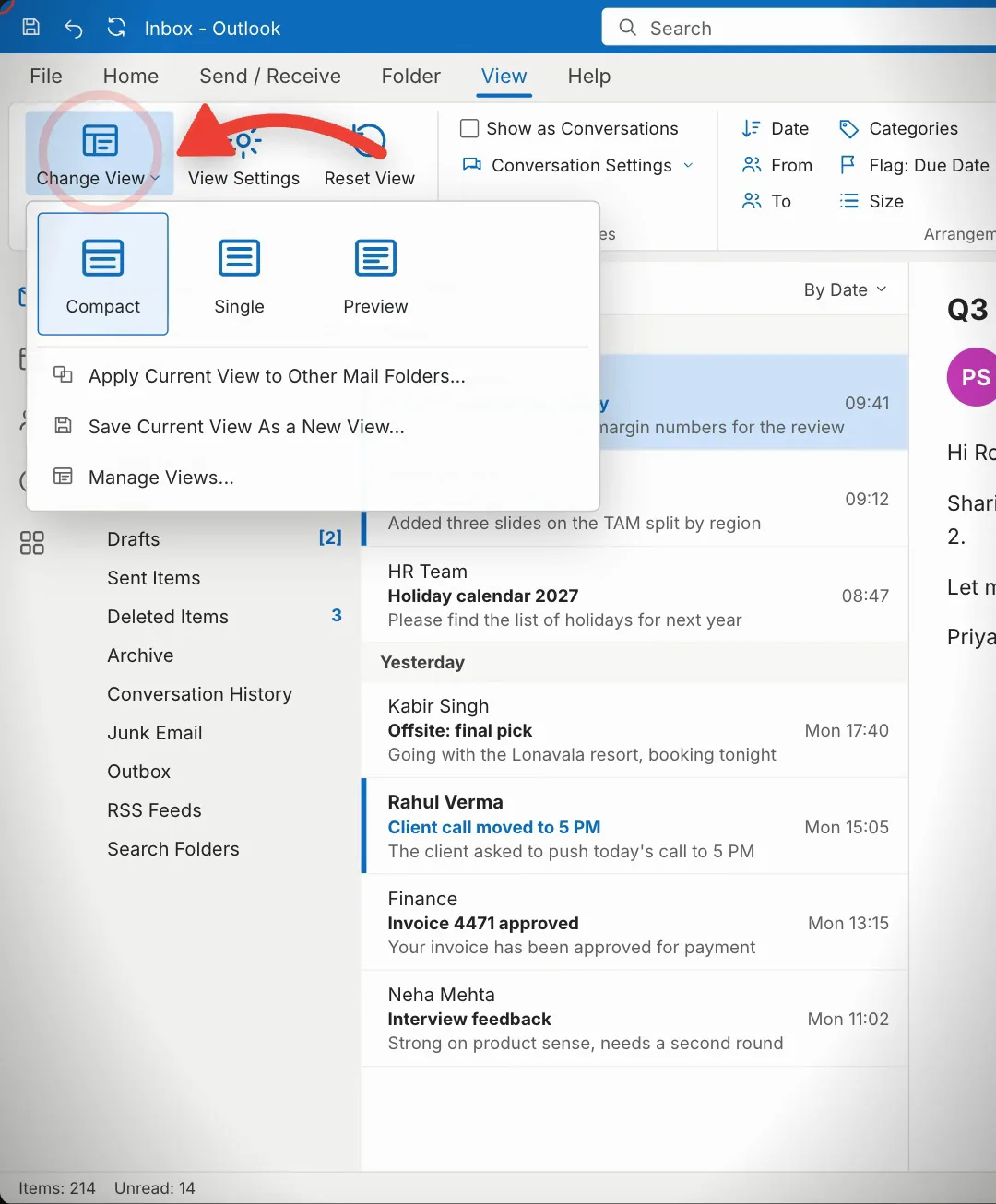
Go To Manage Views
At the bottom of the Change View list, click Manage Views.
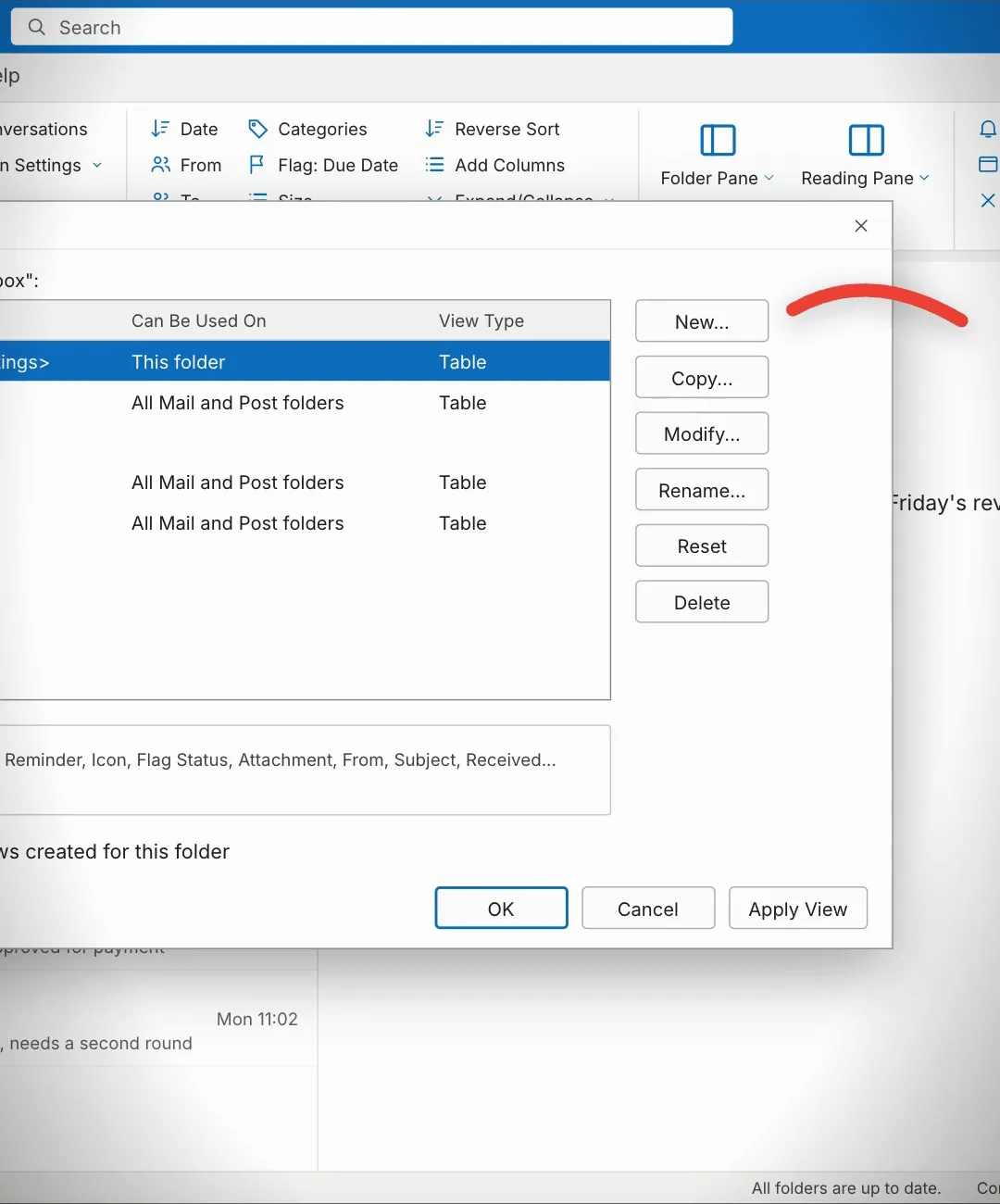
Click New
In the Manage All Views box, click New.
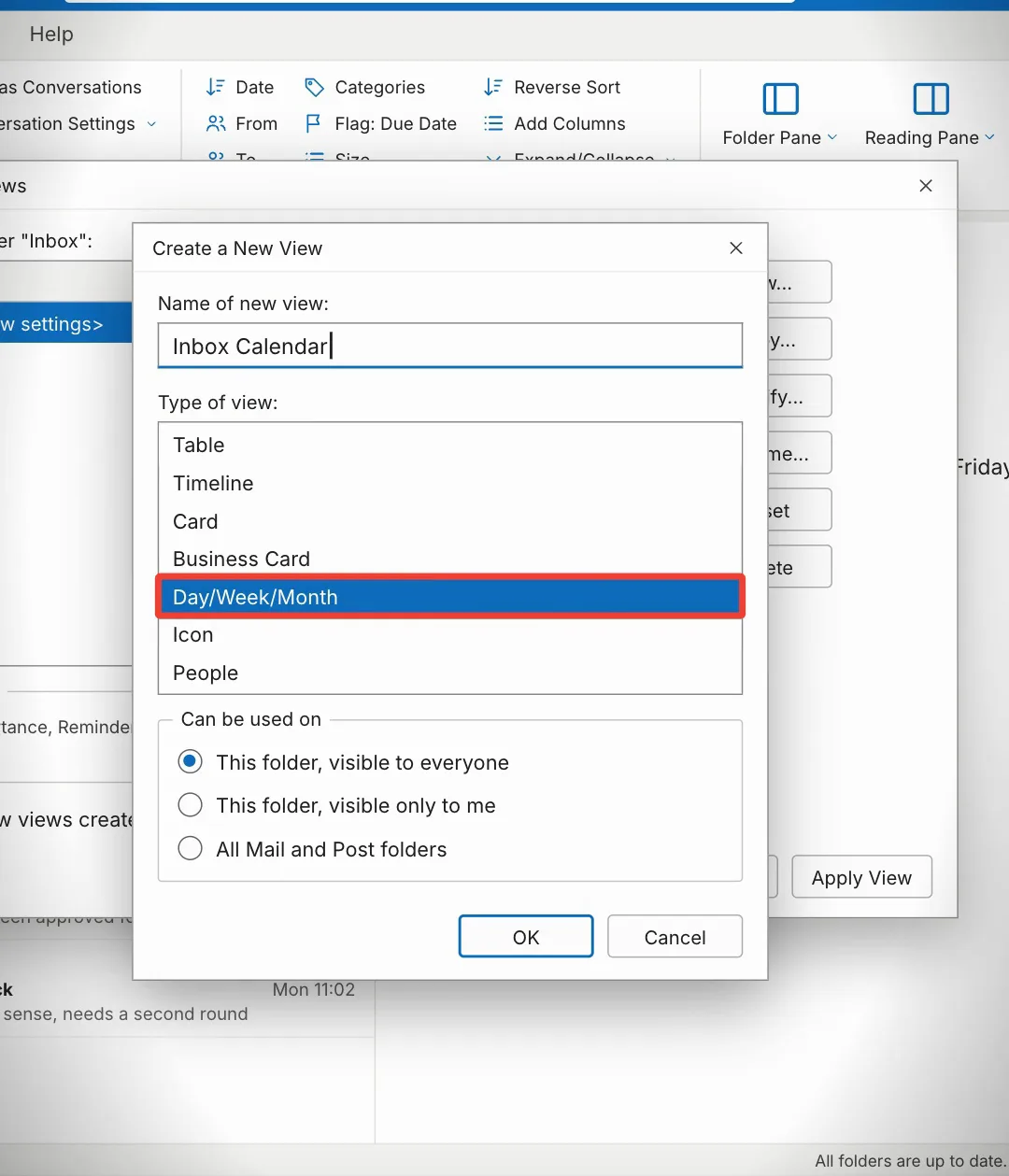
Pick Day/Week/Month
Give the view a name (anything you'll recognise, like "Inbox calendar"). Under Type of view, pick Day/Week/Month.
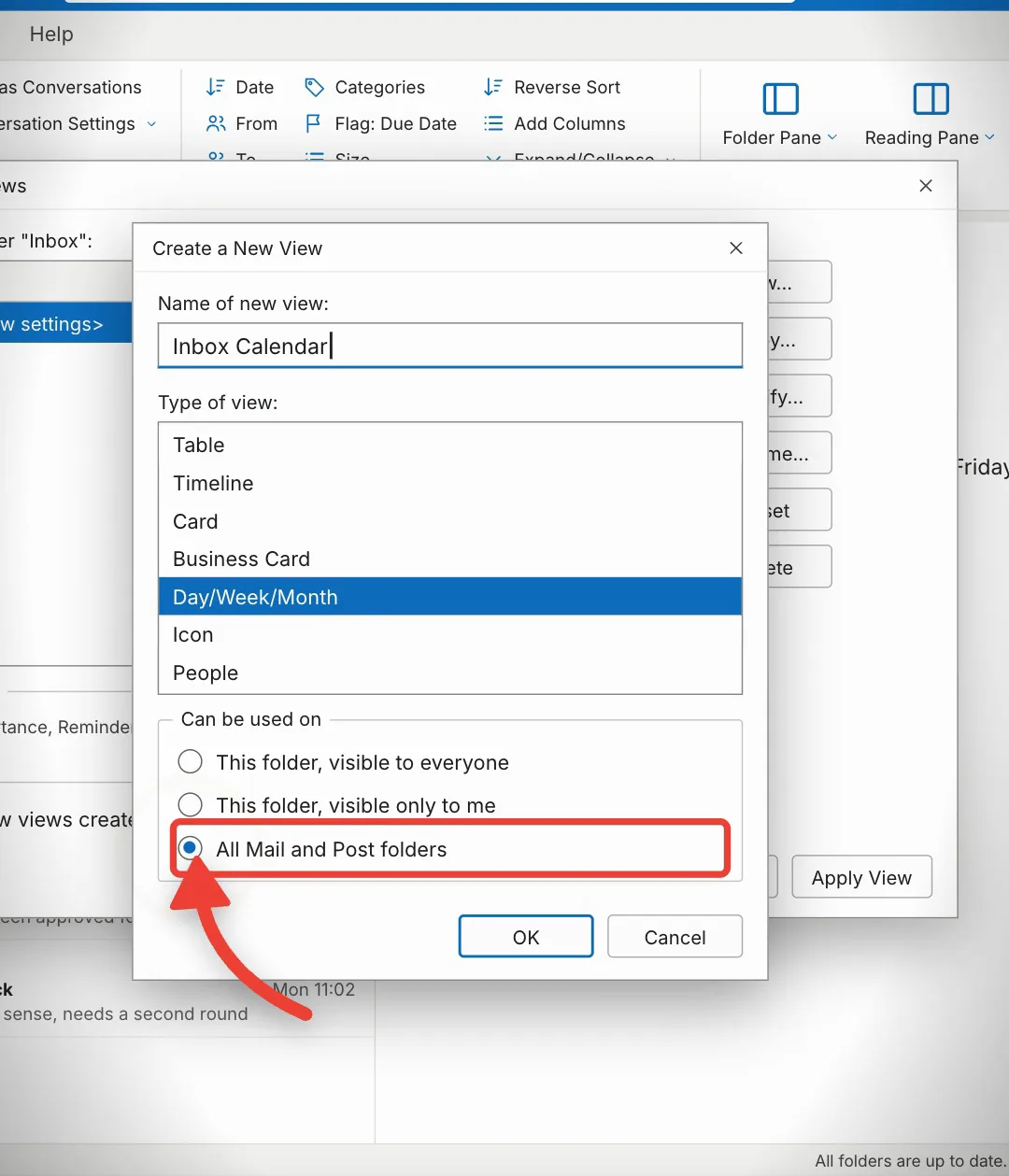
Tick All Mail And Post Folders
Under Can be used on, choose the last option, All Mail and Post folders. This lets you use the view on your inbox and any other mail folder.
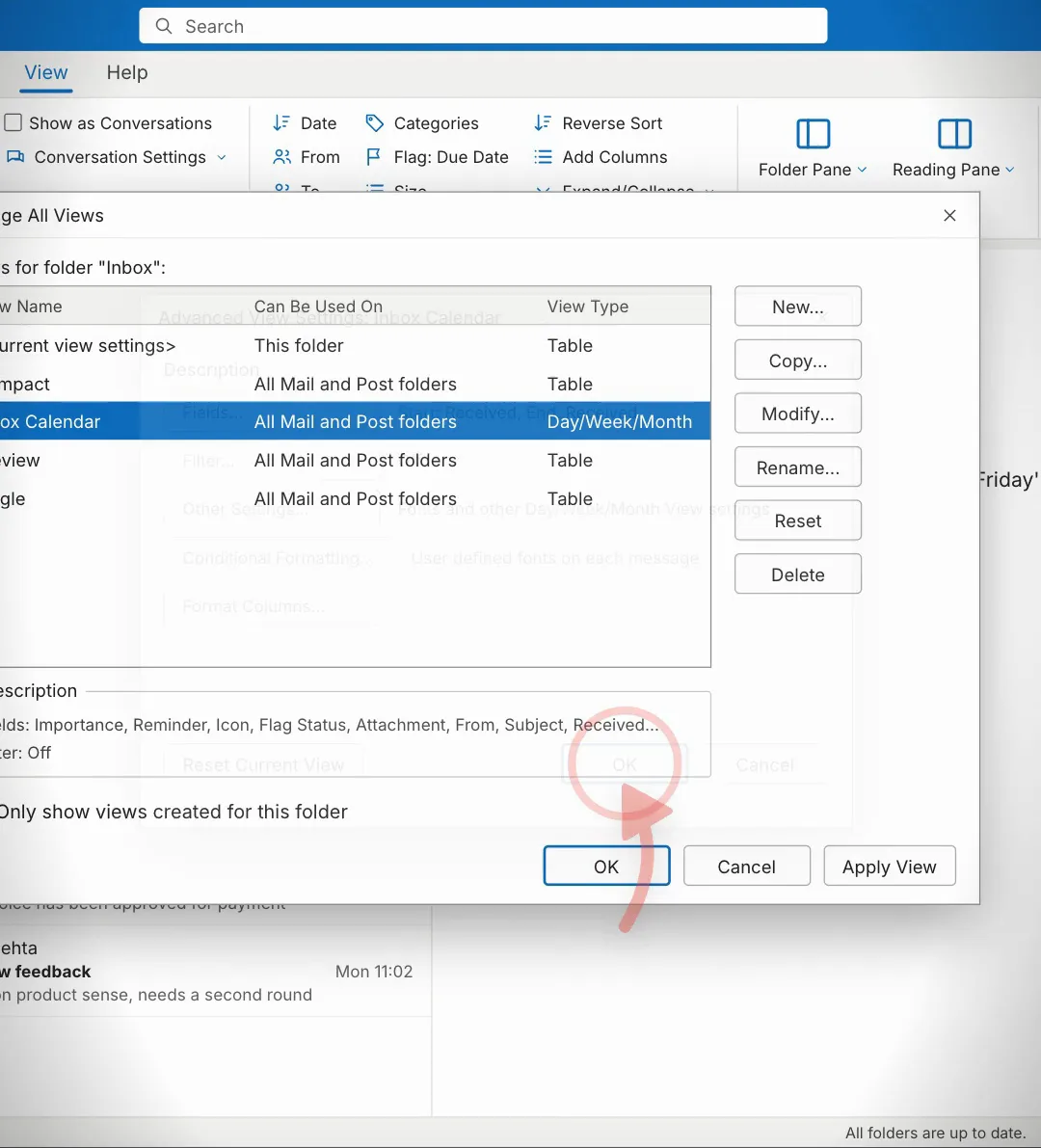
Click OK On Every Box
Click OK on each box that opens until you're back in Outlook.
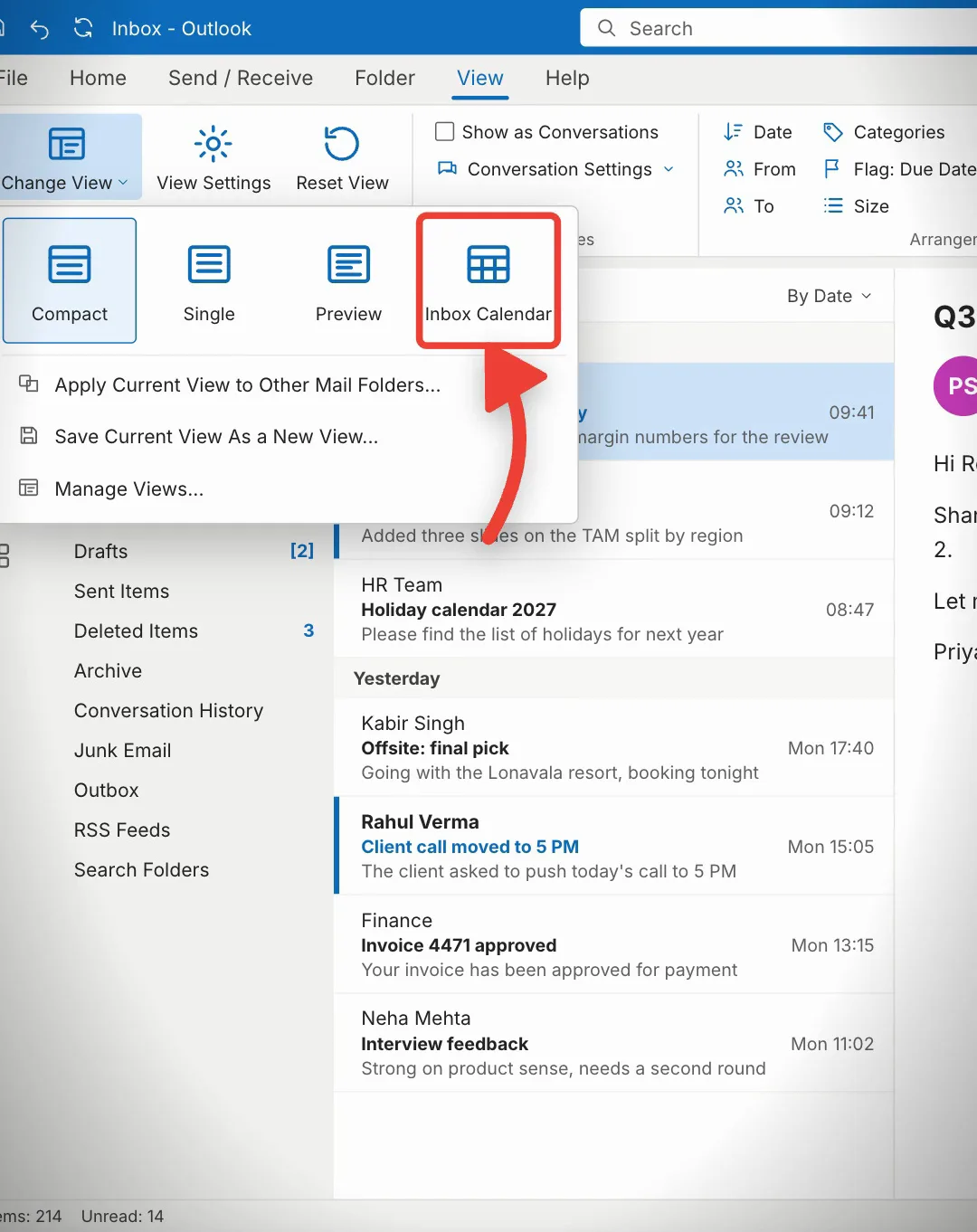
Switch To Your New View
Go back to View → Change View and pick the view you just made.
Read Your Inbox Like A Calendar
Every email now sits on the day and time it arrived. Double-click any email and it opens like normal, so you can reply straight from here. Switch to Month to see every email from the whole month at once.
Worth knowing
- It only changes how the folder looks. No emails are moved, copied or changed.
- To go back, open View → Change View and pick Compact (or your usual view).
- The view is per folder, so switch it on in each folder where you want it.
- This uses the classic Outlook ribbon. New Outlook and Outlook on the web don't have custom views like this.
FAQ
Can I still reply to emails from the calendar view?
Yes. Double-click any email and it opens in its normal window, with Reply, Reply All and Forward.
Does this move my emails into my calendar?
No. Your emails stay in your inbox. The view just lays them out on a calendar grid.
How do I switch back to the normal inbox?
Go to View → Change View and pick Compact, Single or Preview, whichever you used before.
Why can't I find Manage Views?
You're probably on new Outlook or Outlook on the web. This view needs classic Outlook for Windows.