Return Multiple Columns With One VLOOKUP.
Most people write one VLOOKUP for every column they need, changing the 2 to a 3, then a 4, then a 5. You can write it once. Put the column numbers in curly brackets and one VLOOKUP brings back every column at the same time.
What you need: Excel for Microsoft 365 or Excel 2021 and later (the results spill into the next columns).
Start With Two Sheets That Share An ID
Say you have orders on one sheet and manufacturer details on another, matched by a manufacturer ID.
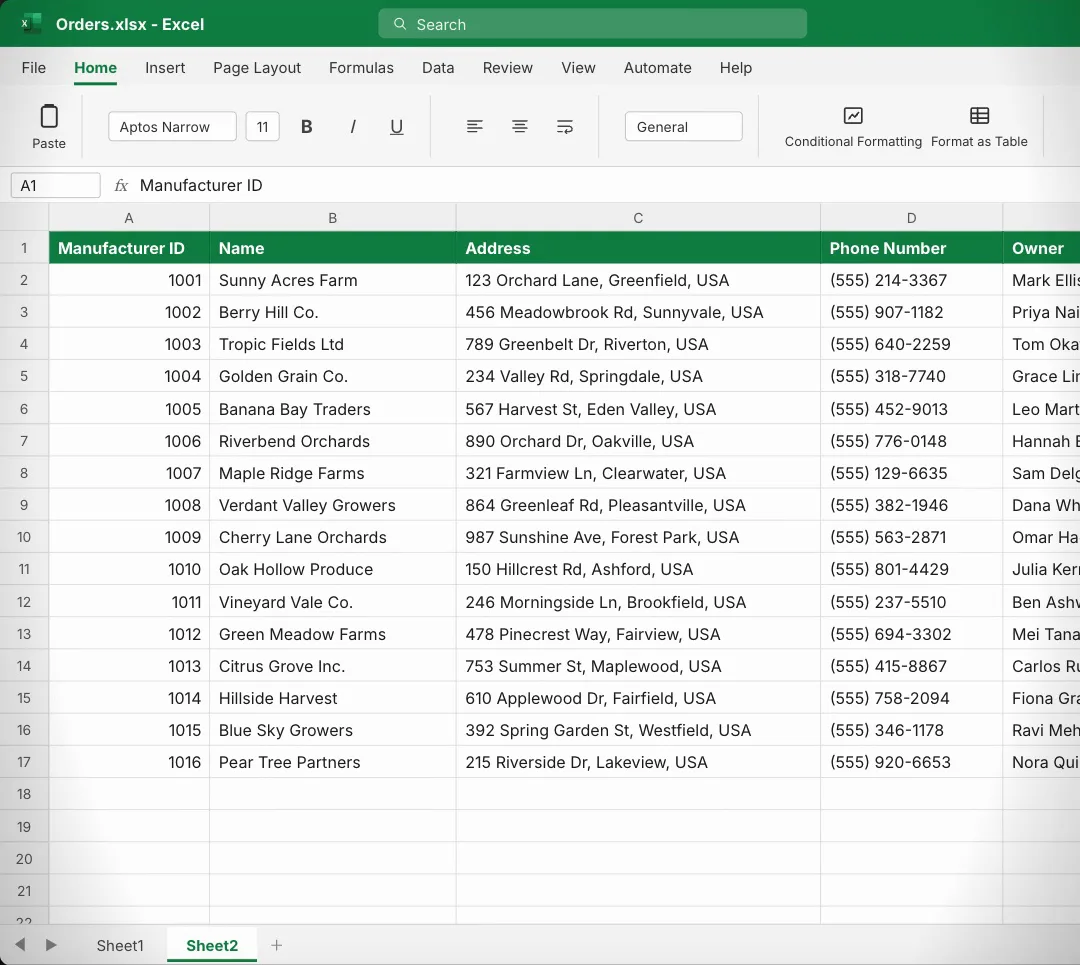
The Old Way: One VLOOKUP Per Column
Normally you write the VLOOKUP with 2 for the second column, copy it across, then change the 2 to a 3, then a 4, then a 5.
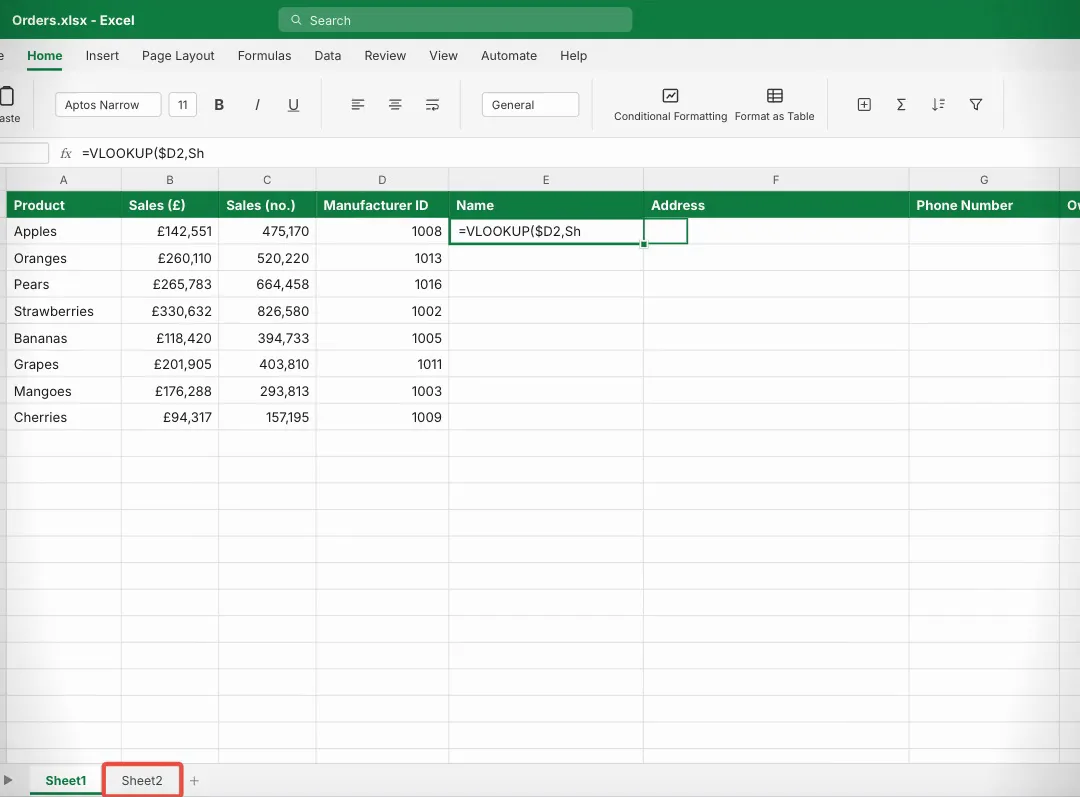
Put The Column Numbers In Curly Brackets
Write the VLOOKUP once. Where the column number goes, type {2,3,4,5}, separated by commas. Then 0 for exact match.
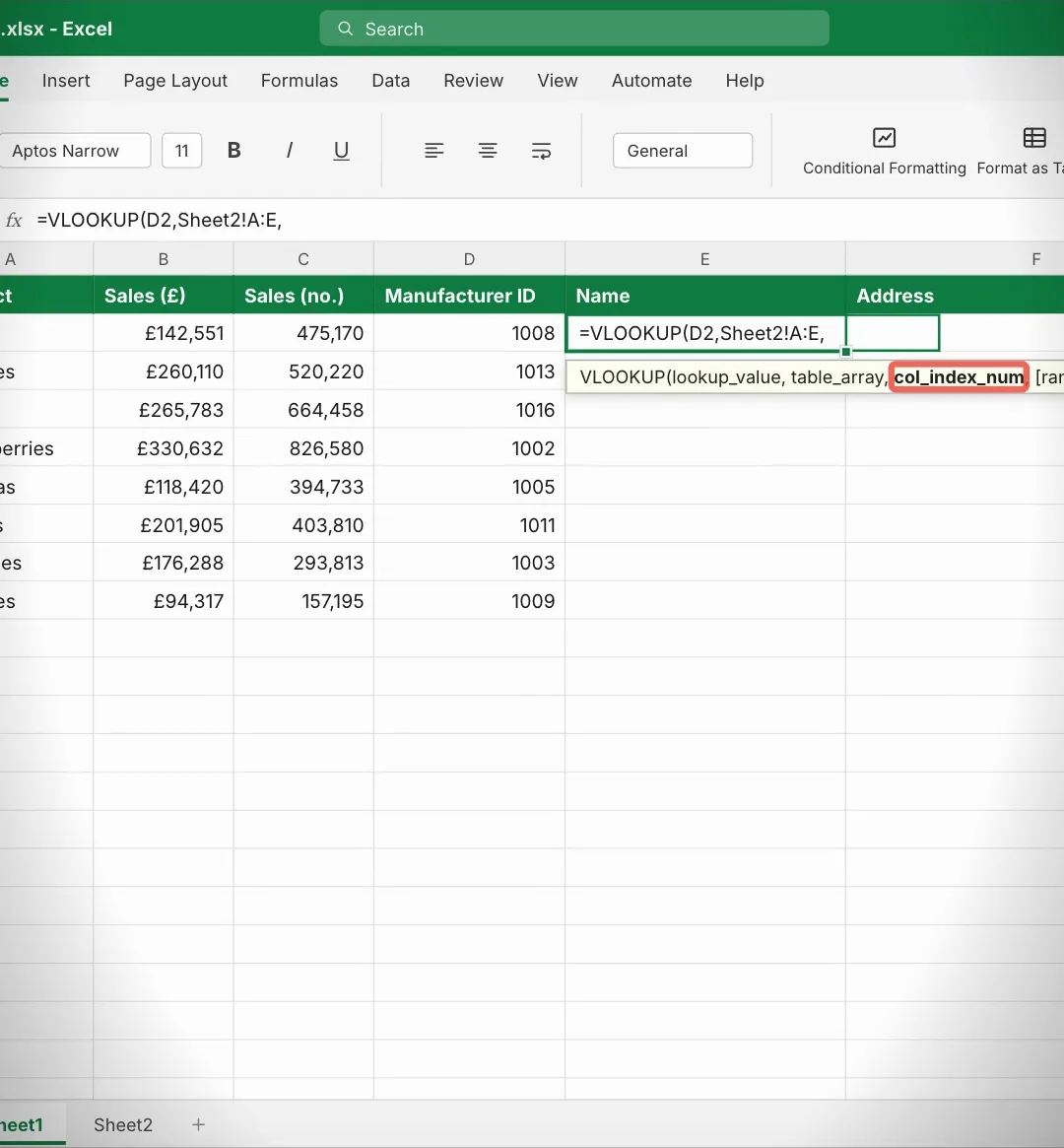
Swap D2 for the cell with your ID and Sheet2!A:E for your lookup table.
Hit Enter: Every Column Fills At Once
Press Enter and every column fills in from one formula.
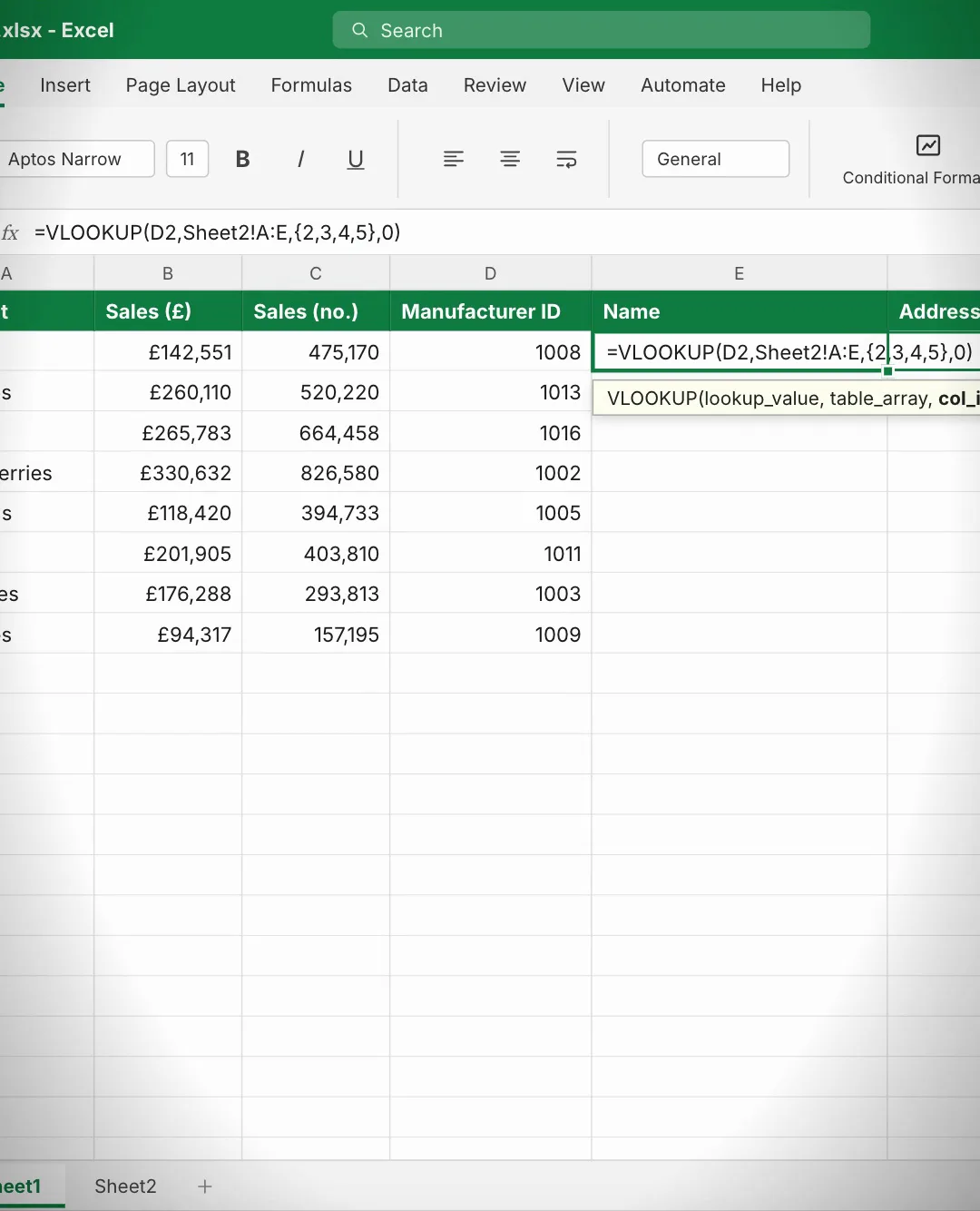
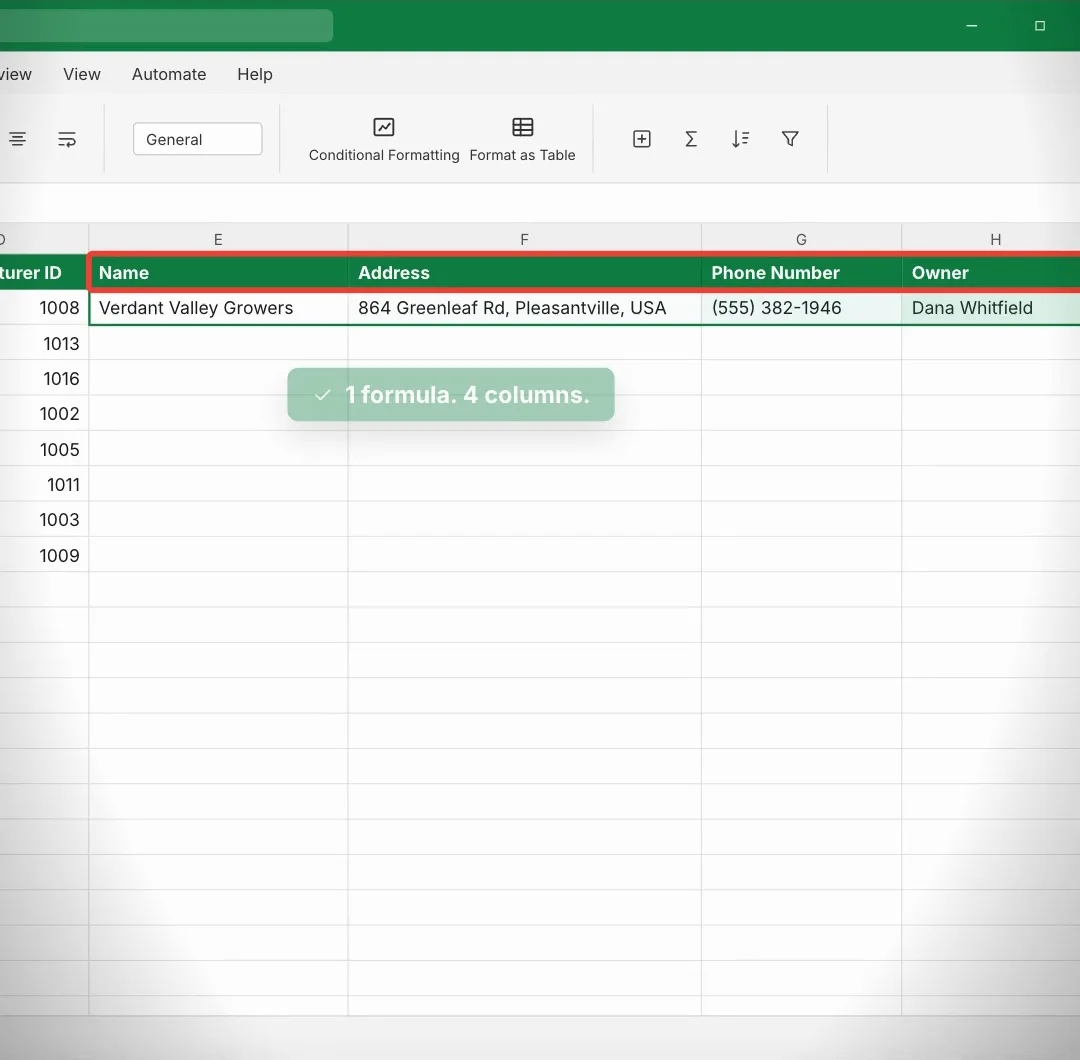
Drag It Down
Drag the formula down and the whole table is done. One formula, not five.
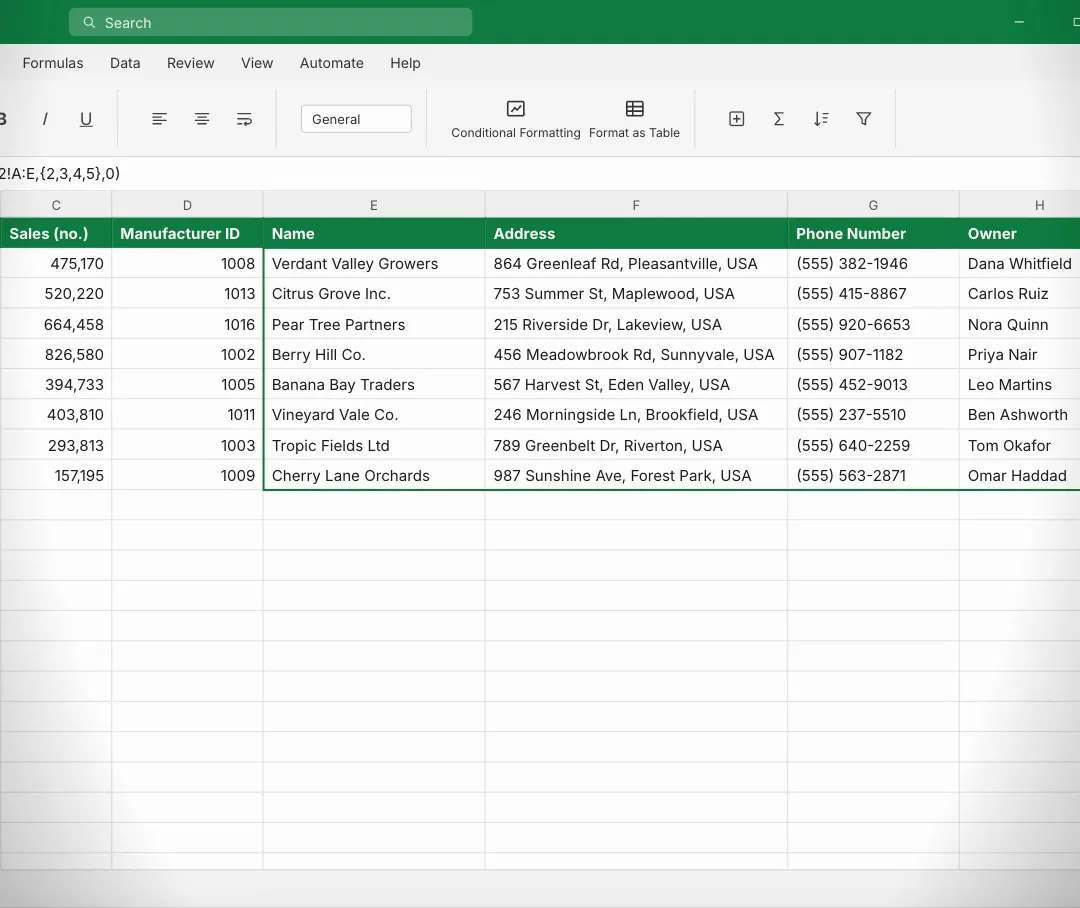
Worth knowing
- Need one more column later? Add one more number inside the brackets, like {2,3,4,5,6}.
- Leave the cells to the right empty. If anything is in the way, you'll get a #SPILL! error.
- Use 0 (or FALSE) at the end for an exact match, the same as a normal VLOOKUP.
- If you pull a dozen columns every week, that's a dozen formulas you never write again.
FAQ
Why do I get #SPILL!?
Something is sitting in the cells the results need. Clear the cells to the right of the formula.
Does it work in older Excel?
It needs Excel for Microsoft 365 or Excel 2021 and later, where formulas can spill into the next cells.
Can the columns be out of order?
Yes. {5,2,4} brings back column 5, then 2, then 4, in that order.
Can I use XLOOKUP instead?
Yes. XLOOKUP can return a whole range of columns too. This trick is handy when your sheet already uses VLOOKUP.