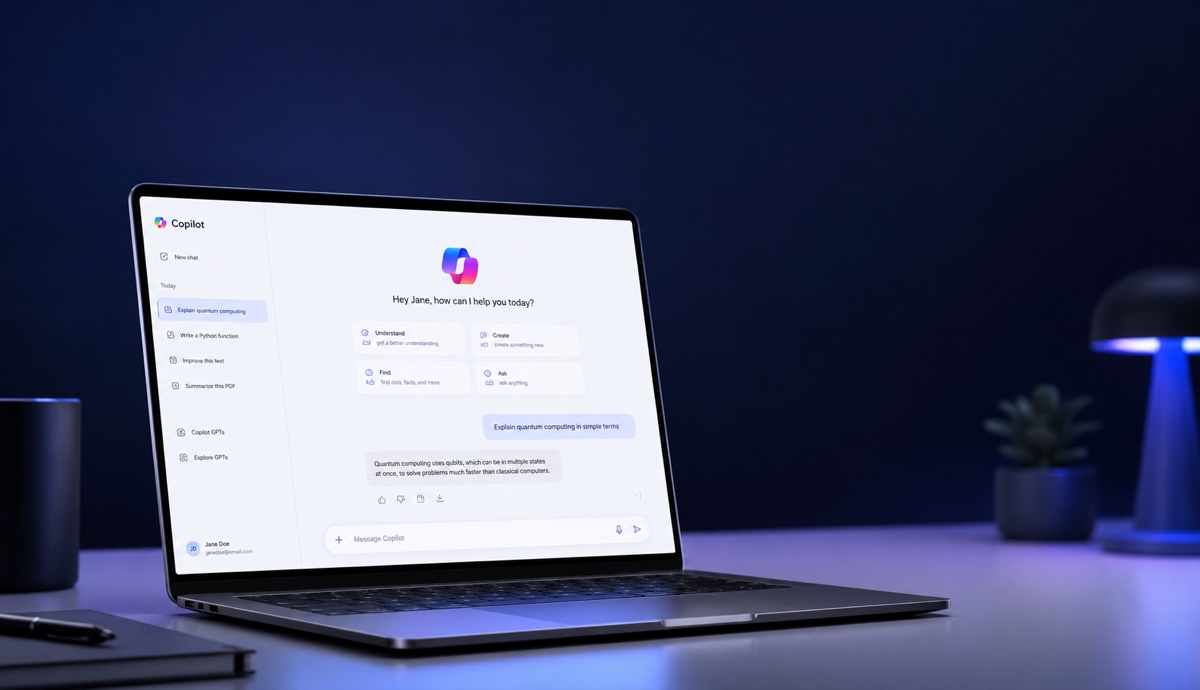
Copilot's Hidden Features.
Five Copilot settings most people pay for and never use, with the steps and a prompt for each.
What you need: Microsoft 365 Copilot on your work account.
Scheduled Prompts
Save a prompt once and let it run on its own. Your Monday summary gets written over the weekend.
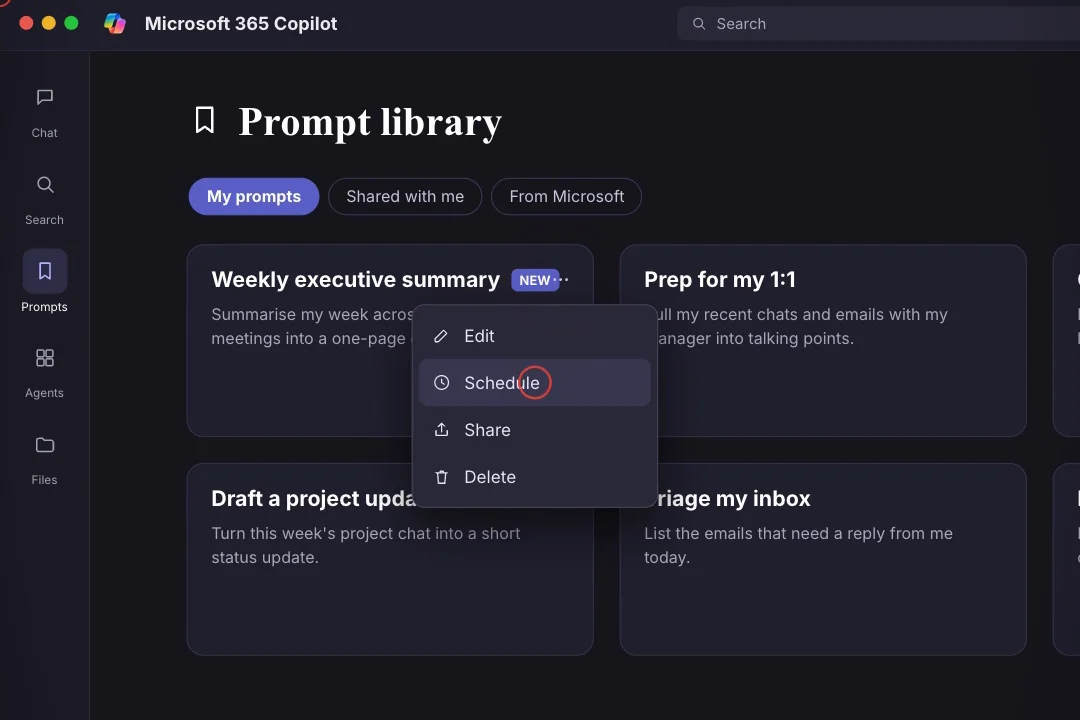
Open m365.cloud.microsoft/chat, run Prompt 1 once and save it. Then go to Prompts in the left bar, click ⋯ on the prompt and choose Schedule.
Write my weekly executive summary. Look through my emails, Teams chats, meetings and documents from the last 7 days and keep it to one page:

- Top 3 wins, with numbers
- Decisions made, and who made them
- Risks or blockers, and who owns each one
- What's coming up next week

Only use what you find in my work data. If something is unclear, mark it [check].
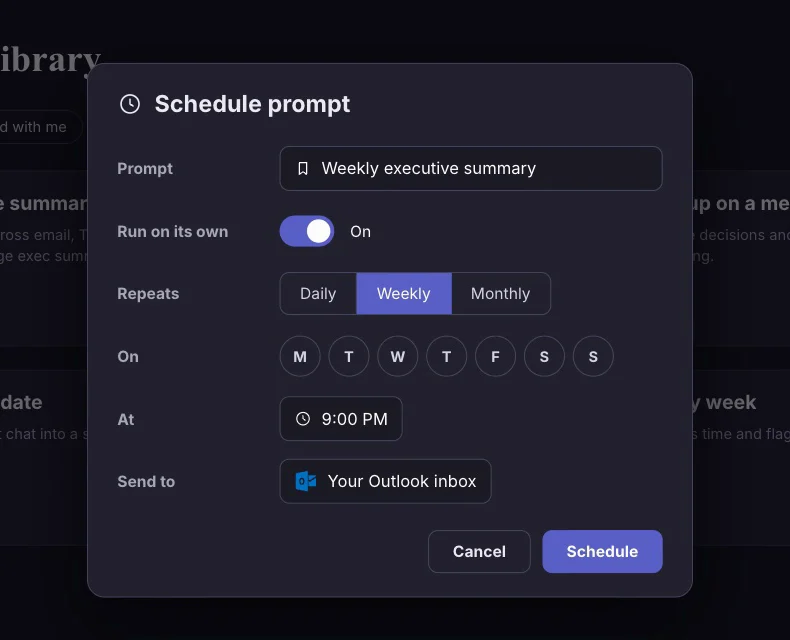
Turn on Run on its own, pick Weekly, a day and a time (Sunday evening works well), and send it to your Outlook inbox.
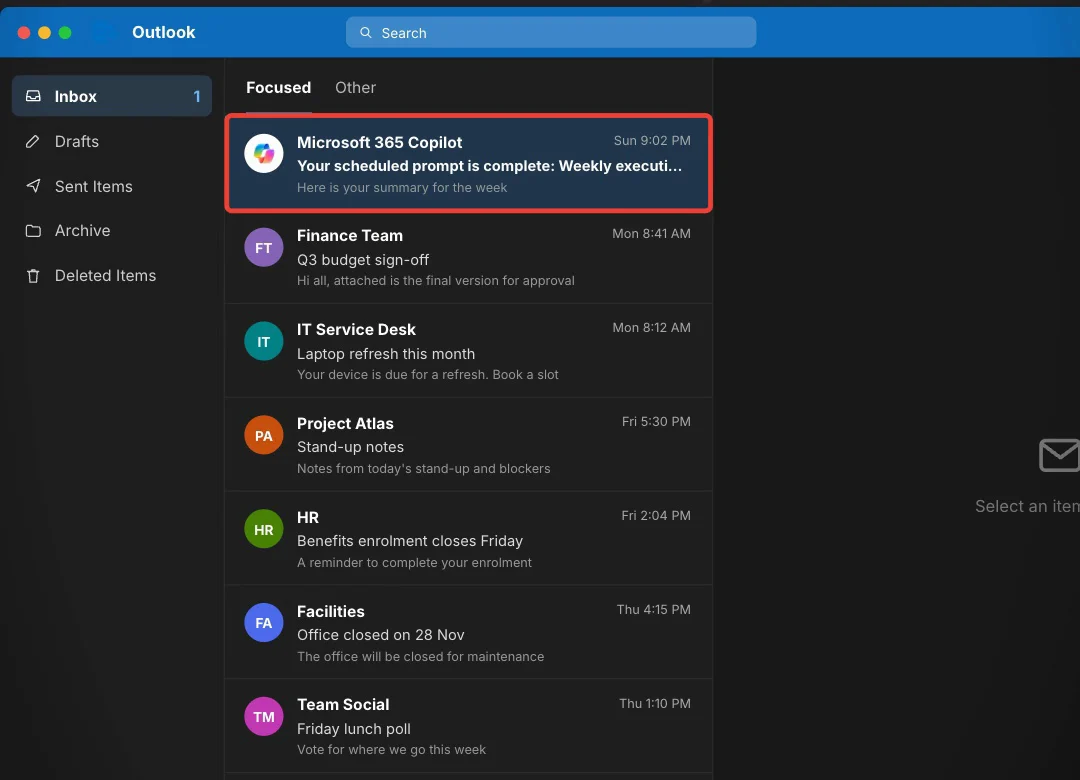
The summary is waiting in Outlook before Monday starts.
Copilot Inside the App
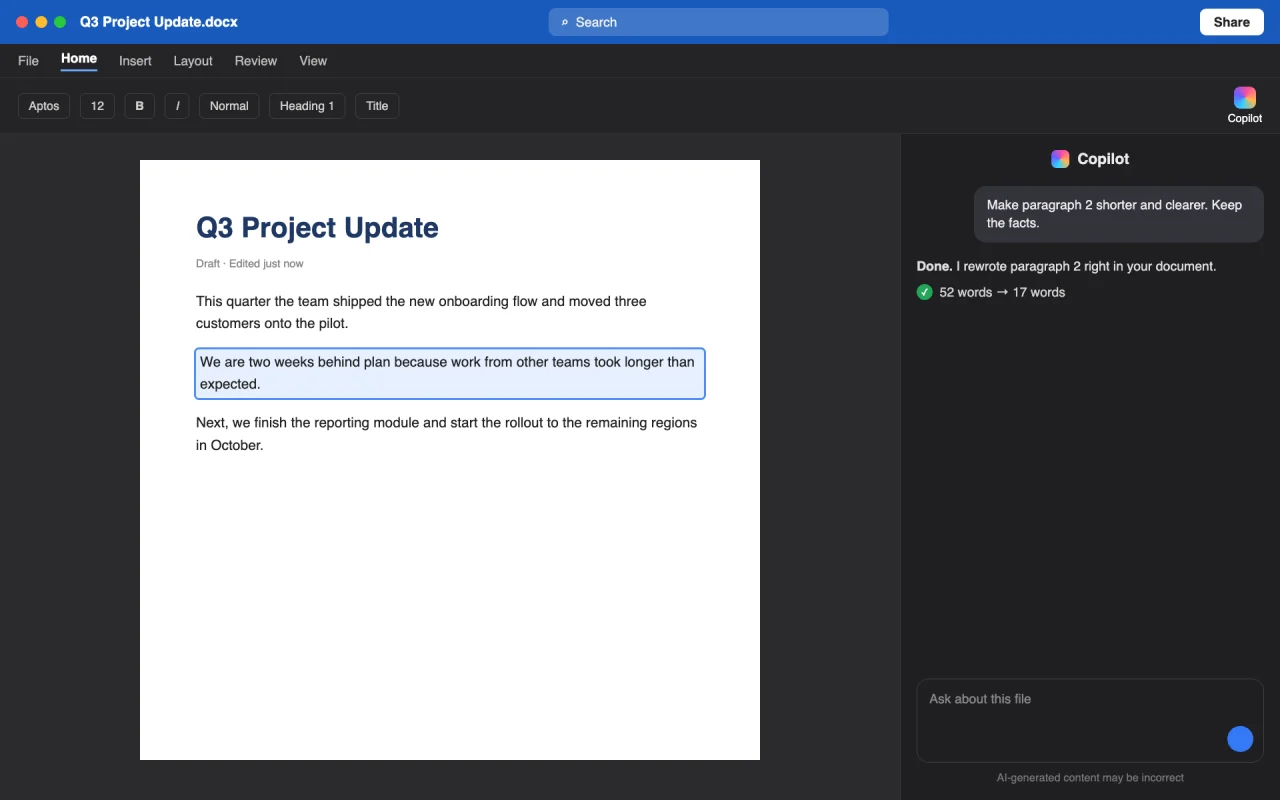
Stop copying file links into a separate chat. Open the file in Word, Excel or PowerPoint, click the Copilot icon on the Home tab, and ask. Copilot edits the file right there.
Make paragraph 2 shorter and clearer. Keep every fact and number. Don't change the rest of the document.
Images in PowerPoint
No ChatGPT needed. Open your deck, go to the slide, click Copilot and ask for an image. Change the yellow parts to your topic and your brand colours.
Create an image for this slide that shows customer growth. Use our brand colours: violet #6B5BFF, purple #8B7DFF and sky blue #5BC8F5. Flat illustration, light background, no text in the image.
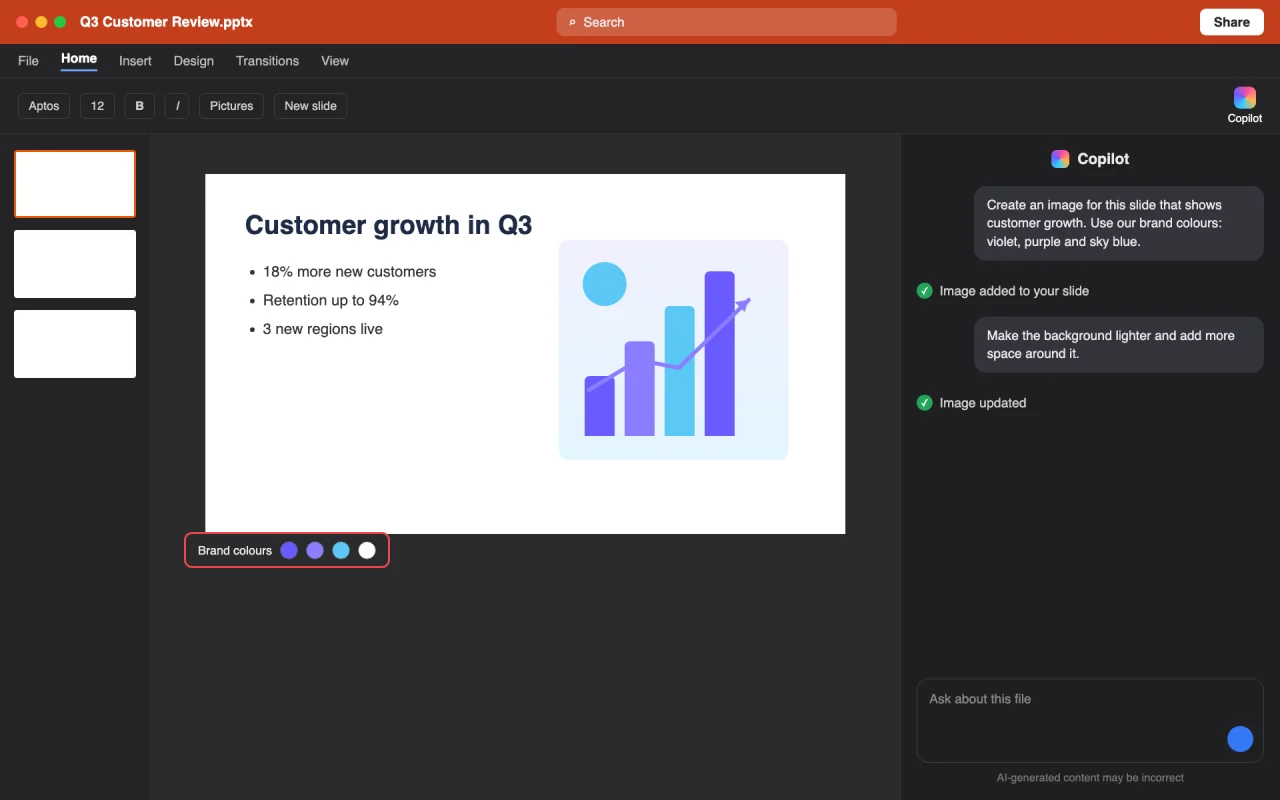
Not quite right? Keep asking in the same pane: "Make the background lighter" or "Use a placeholder image for now".
Type / to Find Files
Stop clicking through folders. In Copilot Chat, type / and the start of the file name. Copilot finds it in SharePoint or OneDrive. Pick it from the list and it's attached to your prompt.
Summarise /Q3 Board Pack in 5 bullets for my manager. Then list the 3 numbers I should know before the meeting.
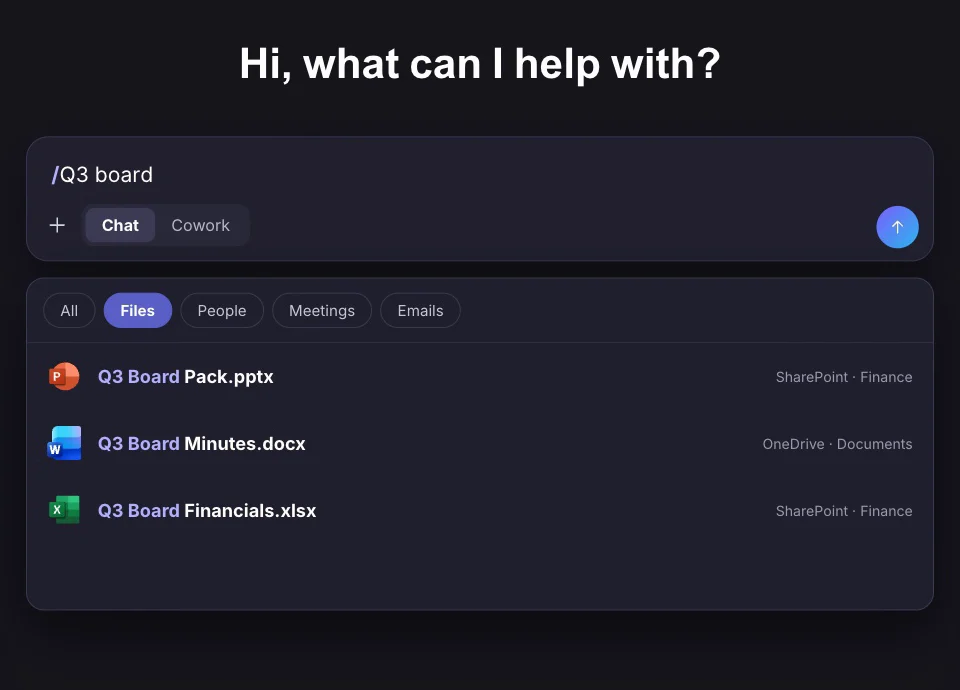
Type the / first, then pick the file, then type the rest of the prompt.
Switch Modes
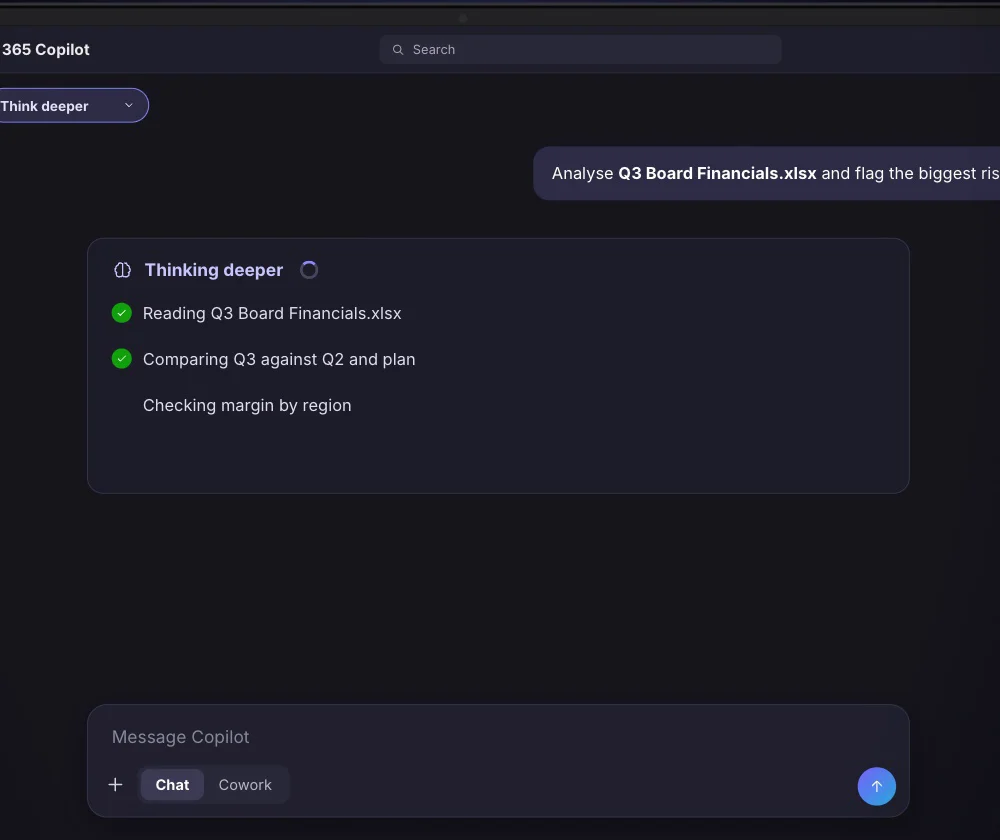
Click the Auto chip at the top, next to Work IQ. Pick Quick response for simple answers. Pick Think deeper when you need proper analysis.
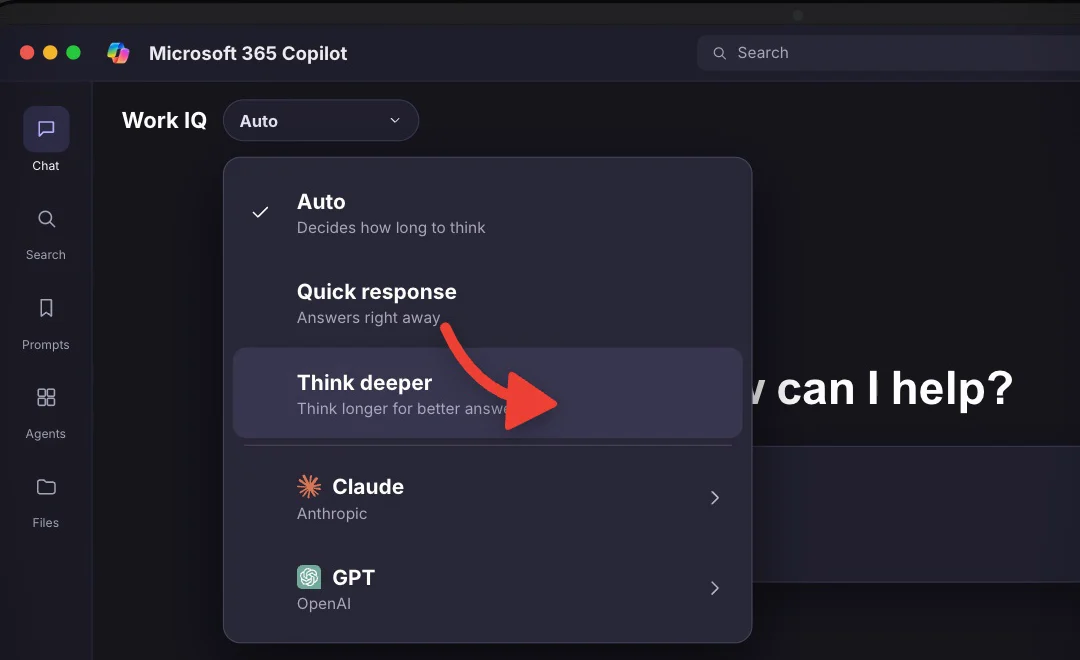
Then run Prompt 5. Copilot shows each step as it works.
Analyse /Q3 Board Financials and flag the biggest risks. Compare Q3 against Q2 and against plan, and check margin by region. Rank the top 3 risks by how much money is at stake, and show the numbers behind each one.
Worth knowing
- Microsoft rolls features out in waves. If you can't see Schedule, an option in the mode menu, or image creation in PowerPoint yet, your organisation may not have it turned on.
- AI still makes mistakes. Check the numbers in your summary and analysis before you send them on.