Copilot SharePoint List Agent
1
StepOpen Microsoft 365 Copilot
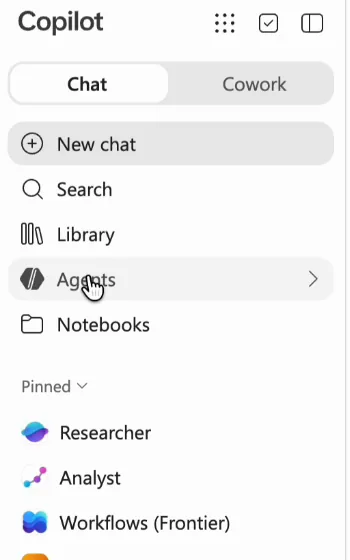
Open Microsoft 365 Copilot. Click Agents, then Get agents.
2
StepAdd SharePoint list agent
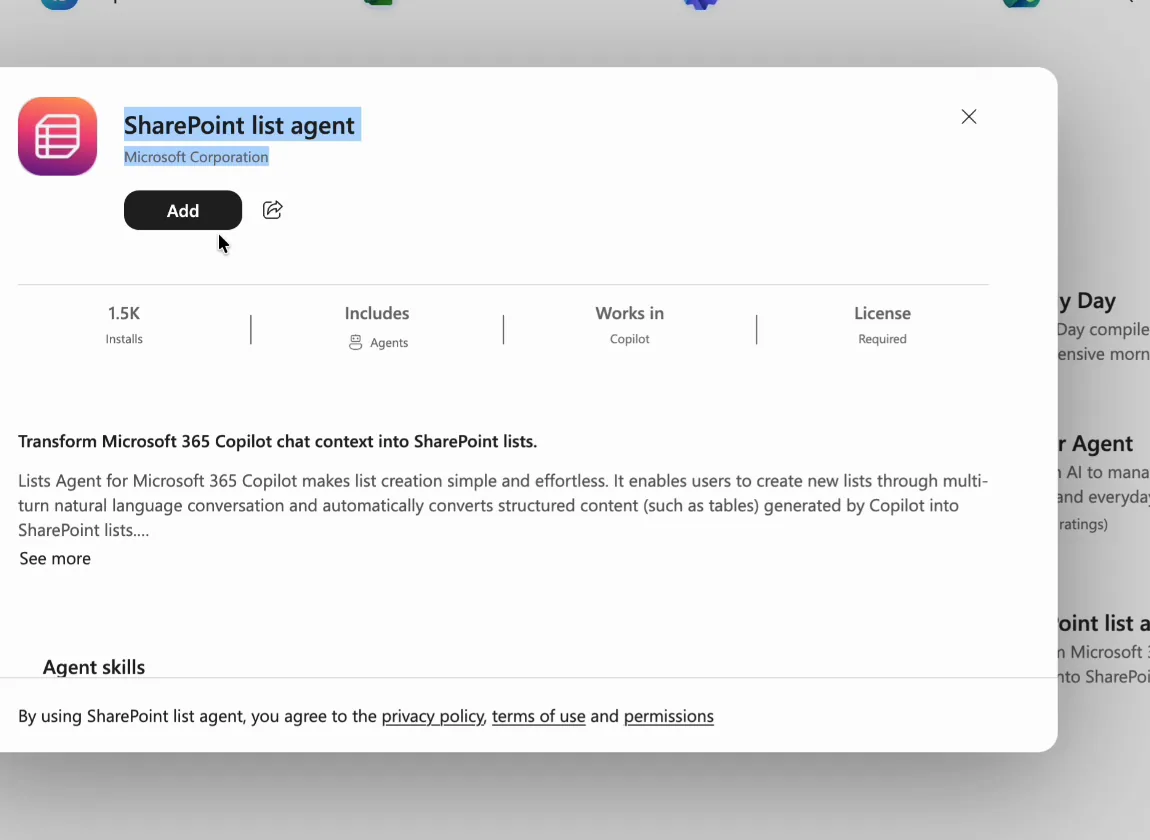
Search for SharePoint list agent and click Add.
3
StepDescribe your list
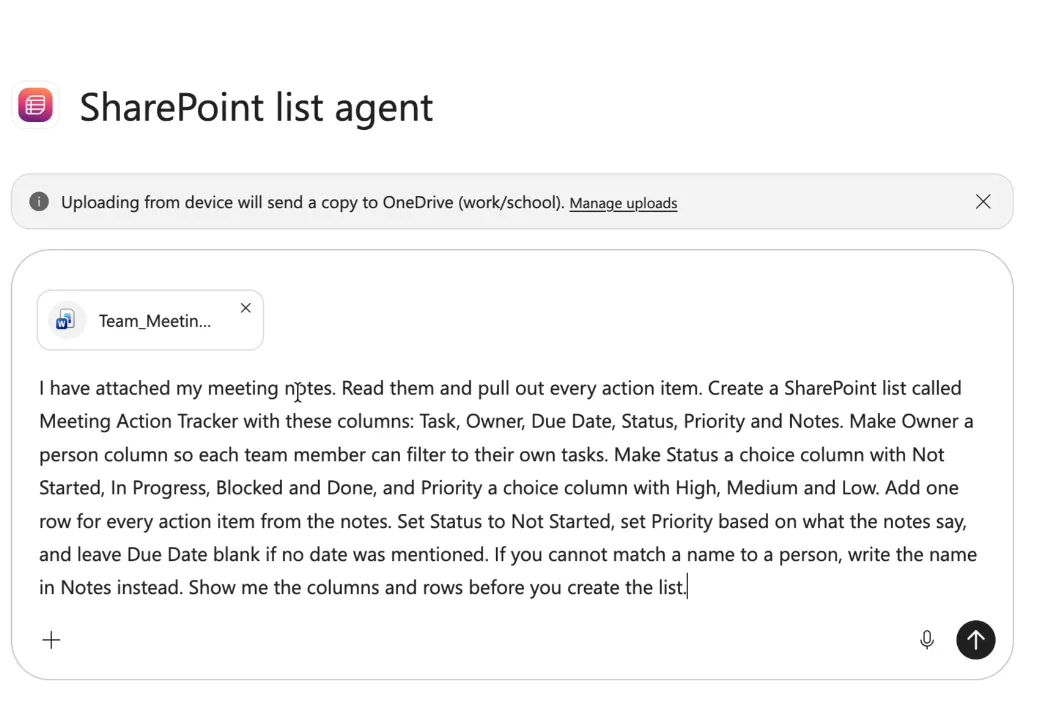
Tell the agent what you want to track. Attach a Word or Excel file if you have the data, or use a prompt below.
Example: meeting action tracker
I have attached my meeting notes. Read them and pull out every action item. Create a SharePoint list called Meeting Action Tracker with these columns: Task, Owner, Due Date, Status, Priority and Notes. Make Owner a person column so each team member can filter to their own tasks. Make Status a choice column with Not Started, In Progress, Blocked and Done, and Priority a choice column with High, Medium and Low. Add one row for every action item from the notes. Set Status to Not Started, set Priority based on what the notes say, and leave Due Date blank if no date was mentioned. If you cannot match a name to a person, write the name in Notes instead. Show me the columns and rows before you create the list.
4
StepReview the list
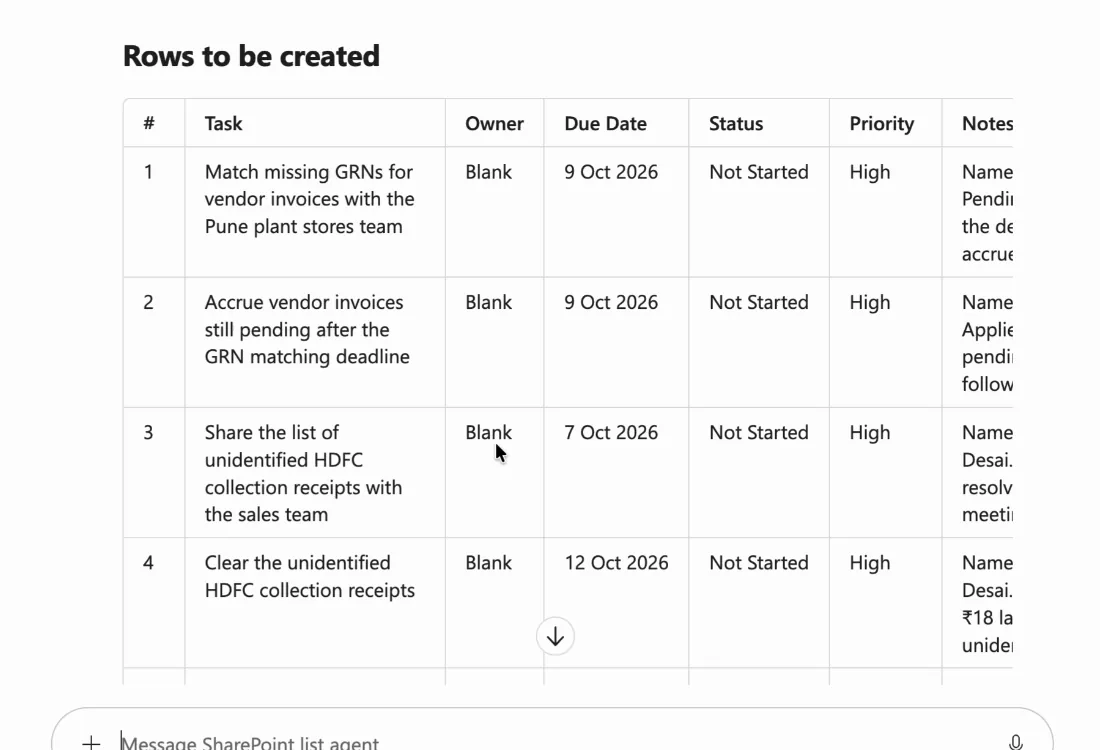
Check the proposed columns and rows. Ask for any changes before creating the list.
5
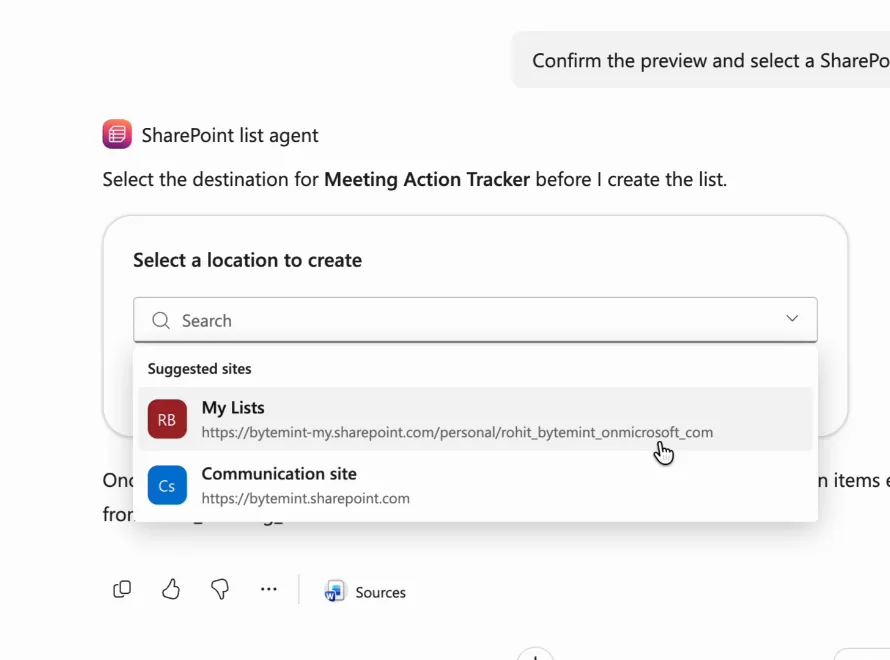
StepChoose where to save
Pick the SharePoint site or OneDrive where the list should be saved, and confirm.
6
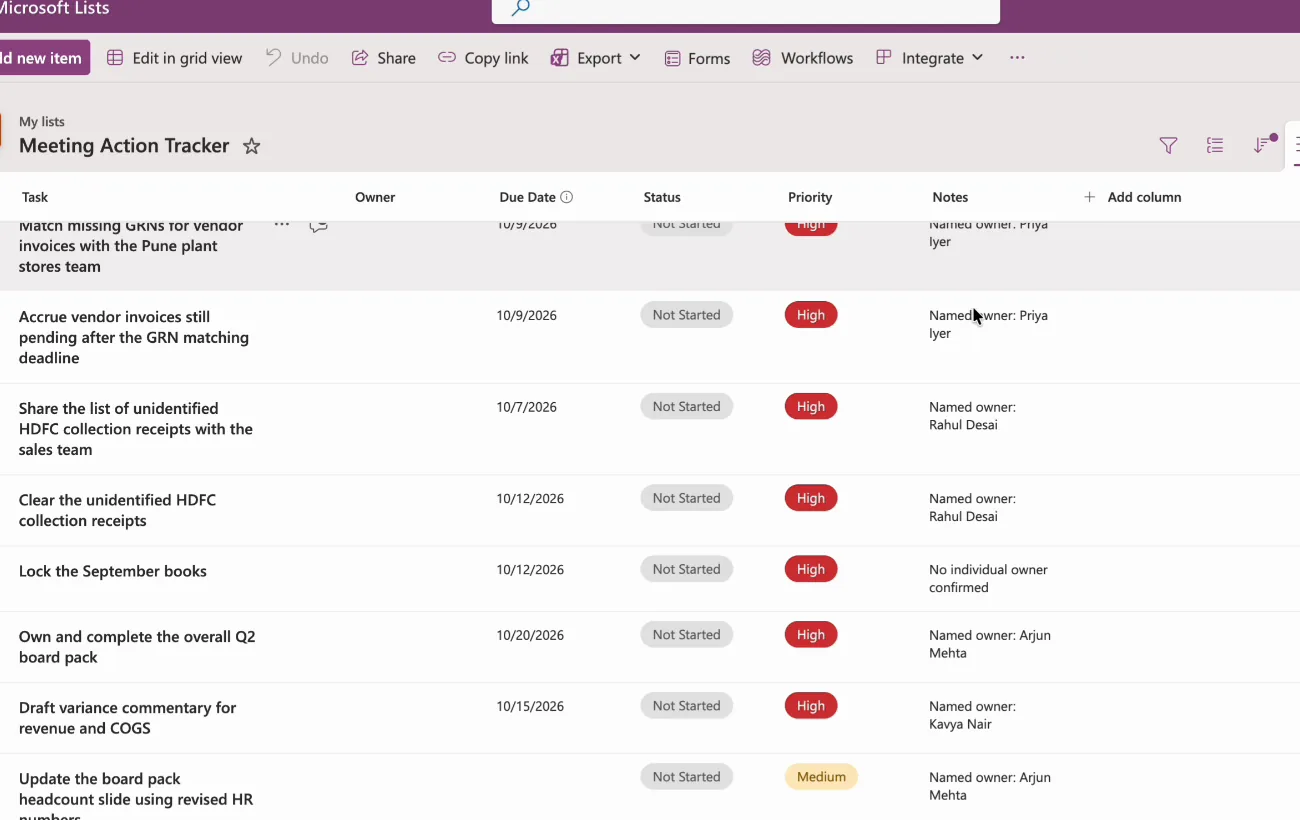
StepShare your list
Open your new list and share the link with your team.
Example prompts
Month-end close checklist
Create a SharePoint list called Month End Close Checklist with these columns: Task, Owner, Due Working Day, Status, Reviewer and Notes. Make Owner and Reviewer person columns, Due Working Day a number column, and Status a choice column with Not Started, In Progress, Ready for Review and Closed. Add standard month-end close tasks for a finance team: bank reconciliations, AP and AR cut-off, accruals, prepaid amortisation, fixed asset depreciation, intercompany reconciliation, GST reconciliation, payroll reconciliation, trial balance review and management reporting. Show me the columns and rows before you create the list.
Expense and reimbursement requests
Create a SharePoint list called Expense Requests with these columns: Employee, Expense Date, Category, Amount, Description, Receipt Attached, Approver, Approval Status and Paid On. Make Employee and Approver person columns, Expense Date and Paid On date columns, Amount a currency column in Indian Rupees, Category a choice column with Travel, Meals, Client Entertainment, Software, Training and Other, Receipt Attached a yes or no column, and Approval Status a choice column with Submitted, Approved, Rejected and Paid. Show me the columns before you create the list.
Vendor onboarding tracker
Create a SharePoint list called Vendor Onboarding with these columns: Vendor Name, Category, Contact Person, Email, PAN Received, GST Certificate Received, Bank Details Verified, Agreement Signed, Onboarding Owner, Status and Notes. Make the received, verified and signed columns yes or no columns, Onboarding Owner a person column, and Status a choice column with Documents Pending, Under Review, Approved and Active. Show me the columns before you create the list.
Hiring pipeline
Create a SharePoint list called Hiring Pipeline with these columns: Candidate Name, Role, Source, Current Stage, Interviewer, Interview Date, Feedback, Expected CTC and Decision. Make Interviewer a person column, Interview Date a date column, Source a choice column with Referral, LinkedIn, Job Portal, Agency and Campus, Current Stage a choice column with Screening, Round 1, Round 2, Final Round, Offer and Joined, and Decision a choice column with Pending, Selected, On Hold and Rejected. Show me the columns before you create the list.
Audit observations tracker
Create a SharePoint list called Audit Observations with these columns: Observation, Area, Risk Rating, Management Response, Action Owner, Target Date, Status and Evidence Link. Make Action Owner a person column, Target Date a date column, Risk Rating a choice column with High, Medium and Low, Area a choice column with Finance, Procurement, Payroll, IT, Compliance and Operations, and Status a choice column with Open, In Progress, Closed and Overdue. Show me the columns before you create the list.
Project risks and issues log
Create a SharePoint list called Project Risks and Issues with these columns: Item, Type, Description, Impact, Owner, Raised On, Due Date, Status and Resolution. Make Owner a person column, Raised On and Due Date date columns, Type a choice column with Risk, Issue, Decision and Dependency, Impact a choice column with High, Medium and Low, and Status a choice column with Open, In Progress, Resolved and Closed. Show me the columns before you create the list.