How to create an AI agent in SharePoint
Select your files
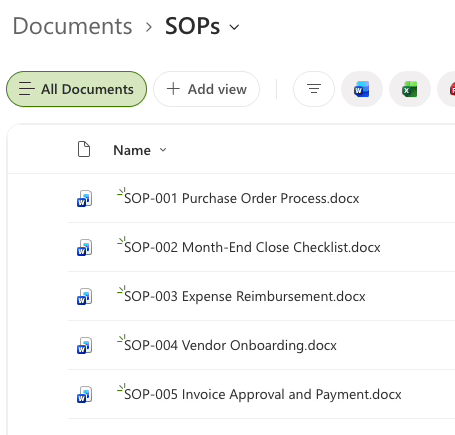
Open any folder in SharePoint and select the files you want the agent to learn from. The worked example uses an SOP folder.
Create an agent
Click the three dots and choose "Create an agent". In the recorded SharePoint layout, this option is under the Copilot dropdown.

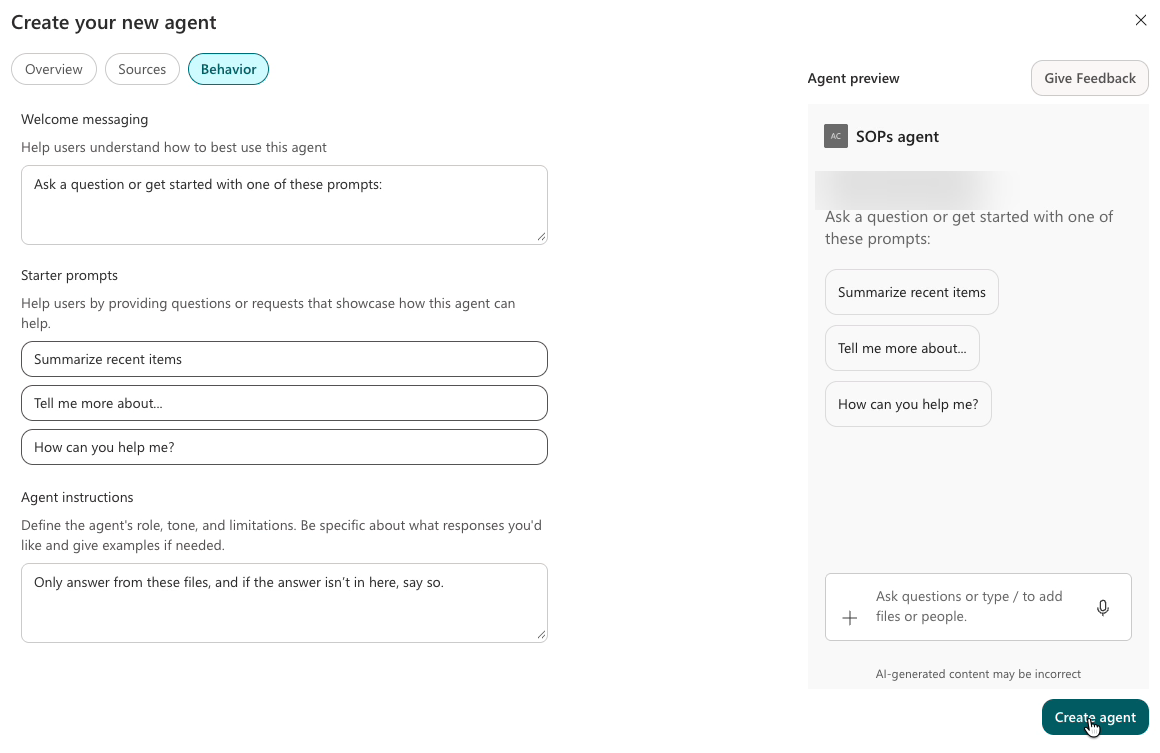
Name your agent and add instructions
Give the agent a name and add the instruction line below. For this example, call it SOP Buddy.
Only answer from these files, and if the answer isn't in here, say so.
Ask a question
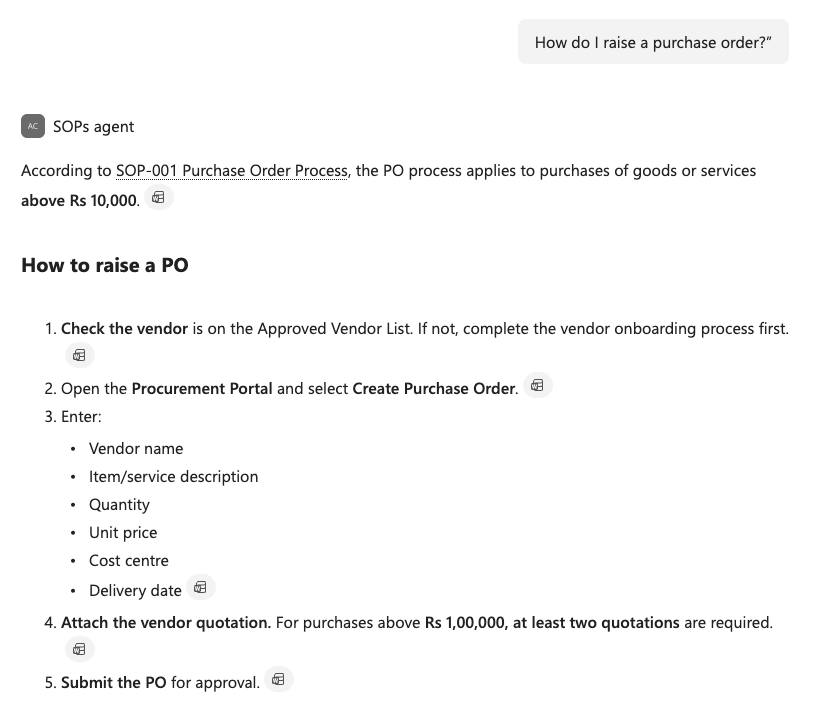
Ask it a question from your files, such as "How do I raise a purchase order?" in this example. It answers only from those files and shows which document the answer came from.
What is the process for this?
Which document says that?
What are the limits or deadlines mentioned?
Is there anything about this that is not in the files?
The last question tests the instruction line: a good agent says it doesn't know instead of guessing.
Share it
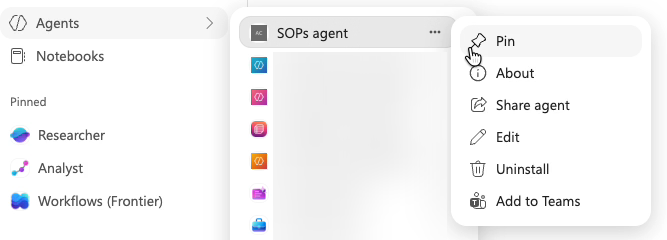
Open it from the same screen or from Copilot under Agents, click the three dots, then Share, and send it to your colleagues.
What you get
Answers only from your files
Keep answers focused on the files you selected.
Shows the source document
See which document the answer came from.
Works on any folder
Use the same steps with another SharePoint folder.
Share with your team
Let colleagues ask questions about the same files.
No code needed
Set it up in SharePoint using plain instructions.
Try it on
SOP and process folders
Find the steps for everyday tasks.
HR policies
Check leave rules, benefits and policies.
Client folders
Find answers in client briefs and documents.
Project notes
Look up decisions, updates and deadlines.
Training material
Ask questions about the learning resources.
Vendor contracts
Find the terms, limits and renewal dates.