ByteMint Guide
Claude Equity Research Plugin
IPO Assessment & Initiating Coverage Guide
Note: This guide was written when Claude chat and Cowork were separate. They have since been merged into one Claude experience, so references to Cowork (and the screenshots) now just mean working in Claude. The steps are the same.
How to Install
1
Step
Open Claude Cowork
Open the Claude desktop app and click Cowork in the left sidebar.
2
Step
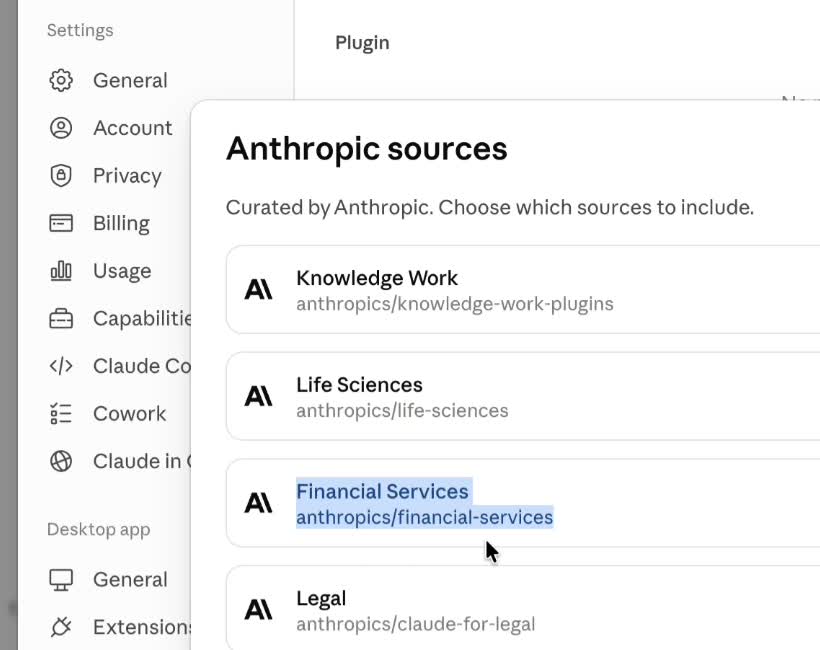
Install the Financial Services Marketplace
Go to Customize → Plugins → Add → Add Marketplace. Find Financial Services and click Add.
3
Step
Open Plugin Settings
Click Customize, then click Plugins in the sidebar.
4
Step
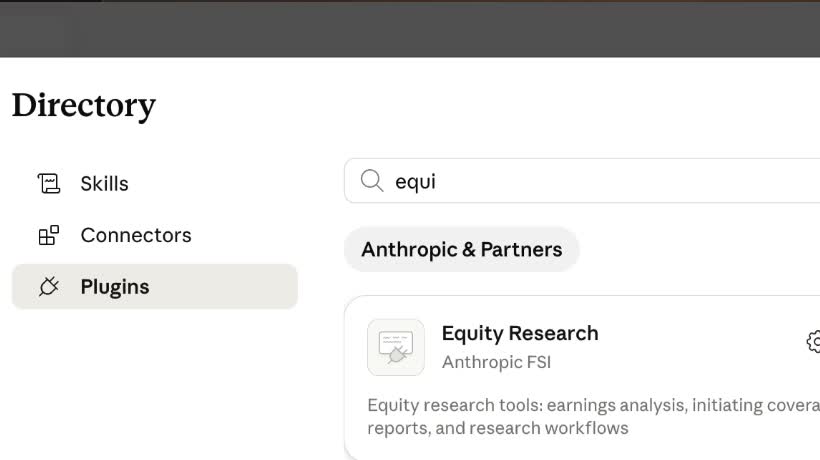
Find and Install Equity Research
Click Browse Plugins, search Equity Research, and click the + to install.
5
Step
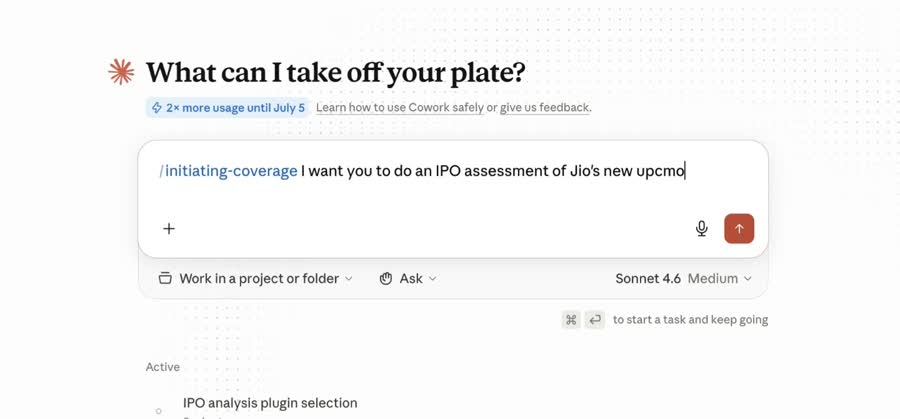
Start a New Conversation
Go back to Cowork and open a new conversation. Type /initiating-coverage to begin.
Run your IPO assessment
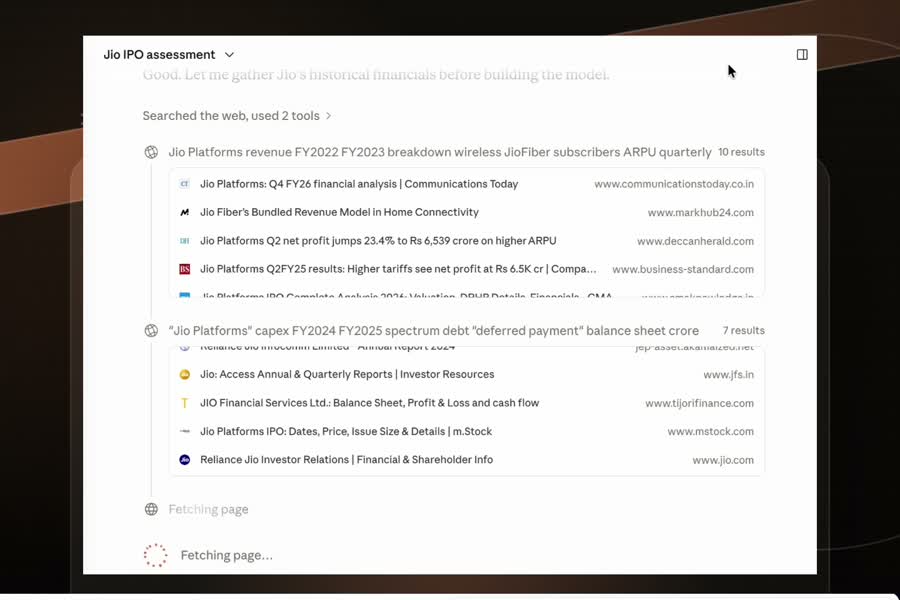
Type the command in the chat and tell Claude which company you want covered. Claude maps out five tasks and walks you through each one in sequence.
Command
/initiating-coverage
Prompt
I want you to do an IPO assessment of [Company Name]. Run all five tasks end to end. Start with Task 1 and wait for my confirmation before moving to the next task.
What You Get
Five tasks, one session. Each output is ready to read, share, or hand off without further formatting work.



Claude Master Guide
The complete ByteMint Claude collection
Buy now →

Join ByteMint's Inner Circle
WhatsApp Community
Join →
For teams
AI automation and hands-on workshops for your team.